
The best Adobe Podcast alternative depends on your pain point: use Descript for editing, Auphonic for leveling, Cleanvoice for filler words, and iZotope RX when the audio is truly messy. Adobe Podcast is popular because its Enhance Speech tool uses AI to make spoken audio sound cleaner and more studio-like [source: Adobe]. But it is not the only option, and it is not always the fastest or most flexible one.
TLDR: If you need a quick Adobe Podcast replacement, start with Auphonic for automatic cleanup or Descript if you also edit video and transcripts. A 45-minute interview with uneven levels, room echo, and a few awkward silences can often be cleaned in under 10 minutes with the right tool. For example, use Cleanvoice to remove 80 to 90 filler words from a rough guest recording, then finish the episode in Descript. For heavy repair, skip the simple tools and use iZotope RX.
Adobe Podcast is great for simple voice enhancement. The catch is that many creators need more than “make my voice sound better.” They need editing, noise removal, filler word cleanup, remote recording, transcripts, music beds, exports, and team review. That is where these alternatives earn their keep.
1. Descript
Best for: podcast editing, video podcasts, transcripts, and quick cleanup.
Descript is one of the easiest tools to recommend because it treats audio like a text document. Delete a sentence in the transcript, and it cuts the audio. Its Studio Sound feature can make thin, echo-heavy voice tracks feel much more polished.
It also handles screen recording, captions, clips, and multitrack editing. That makes it useful for podcasters who repurpose episodes into short videos. Honestly, it feels like cheating when you remove a mistake by deleting three words from a transcript.
Weak spot: Studio Sound can sound too processed at high settings. Use it with care.
2. Auphonic
Best for: loudness leveling, noise reduction, and batch processing.
Auphonic is a quiet favorite among podcast producers. It fixes uneven volume, balances speakers, reduces background noise, and exports audio at podcast-ready loudness. It is especially handy when one guest sounds loud and the other sounds like they recorded from the hallway.
Auphonic supports loudness targets such as -16 LUFS for stereo podcasts, which is a common delivery level for spoken-word audio. It also offers automatic leveling and filtering [source: Auphonic].
Weak spot: It is more utility than full editing suite. You will still want an editor.
3. Cleanvoice
Best for: removing filler words, mouth sounds, and dead air.
Cleanvoice is built for the boring cleanup work nobody enjoys. It detects “um,” “uh,” long pauses, stutters, clicks, and mouth noises. Then it lets you remove them in bulk.
It drives me crazy that some editors still make you hunt every filler word by hand. Cleanvoice saves real time here. If your guest says “you know” 57 times in one episode, this is the kind of tool you want.
Weak spot: Always review the cuts. It can remove natural pauses that should stay.
4. Podcastle
Best for: creators who want recording, editing, and AI voice tools in one place.
Podcastle is a browser-based podcast studio. You can record remote interviews, edit audio, clean speech, generate transcripts, and even use AI voices. It is friendly for beginners who do not want five separate apps.
Its noise removal and voice enhancement tools are simple to use. The interface feels lighter than a pro audio workstation, which is a plus for solo creators and small teams.
Weak spot: Advanced editors may find it too basic. Fine control is limited.
5. Riverside
Best for: remote podcast recording with high-quality local tracks.
Riverside is not just an audio cleanup tool. Its real strength is recording separate local audio and video tracks for each speaker. That means your guest’s internet hiccups are less likely to ruin the final file.
It also includes transcripts, Magic Clips, text-based editing, and background noise removal. If you run interview shows, this may be a better choice than sending guests a random meeting link and hoping for the best.
Weak spot: Cleanup is useful, but not as deep as dedicated repair software.
6. Krisp
Best for: live noise cancellation during recording calls.
Krisp removes background noise in real time. Keyboard taps, fans, traffic, barking dogs, and room chatter can be reduced before they ever reach your recording software.
This is a good tool for podcasters who record through Zoom, Google Meet, Teams, or remote interview platforms. It works like a virtual microphone and speaker. Set it once, then record as usual.
Weak spot: It is not a full production tool. Think of it as prevention, not final polish.
7. iZotope RX
Best for: serious audio repair and post-production.
iZotope RX is the powerful option on this list. It can remove hum, clicks, clipping, background noise, reverb, rustle, and strange audio problems that simpler tools cannot fix.
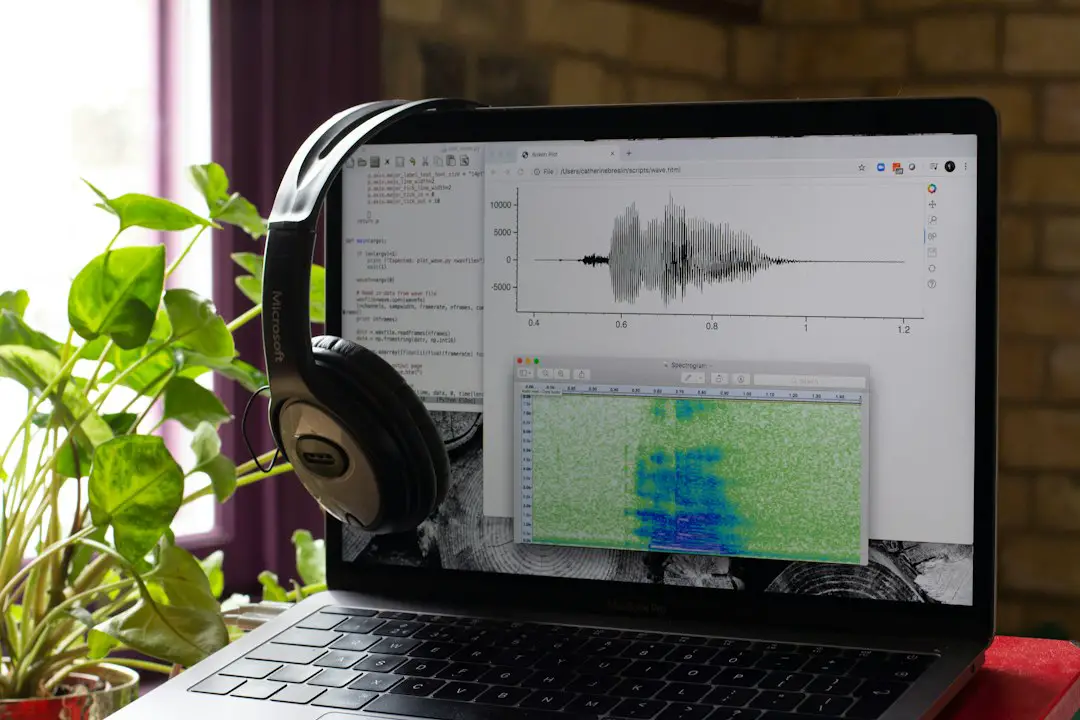
This is the tool to try when a guest recorded near an air conditioner, bumped the mic stand, or sent you audio with crackles baked in. The visual spectrogram helps you see problems, then repair them with precision.
Weak spot: It has a learning curve. Expect to waste time on settings at first.
How to choose the right one
- Want fast voice enhancement? Try Auphonic or Podcastle.
- Want text-based editing? Pick Descript.
- Want cleaner interviews before editing? Use Riverside or Krisp.
- Want filler word removal? Use Cleanvoice.
- Want deep repair? Choose iZotope RX.
For most podcasters, the best workflow is not one tool. It is two. Record in Riverside, clean and level in Auphonic, then edit in Descript. If the audio is rough, bring in iZotope RX before the final mix.
Adobe Podcast is still a strong pick for quick cleanup. But if you publish often, work with guests, or need tighter control, these seven tools give you more room to fix problems and ship better episodes.