
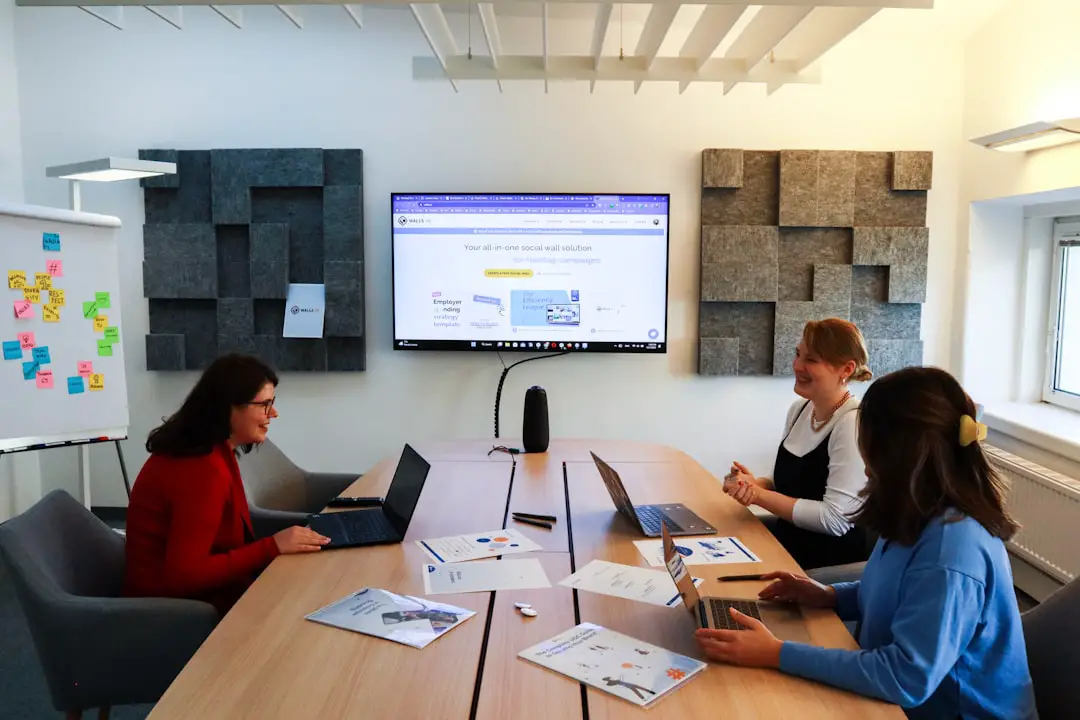
Meetings, events, and classrooms are more effective when participants do more than listen. Interactive audience response systems turn passive attendance into active engagement through live polls, quizzes, Q&A boards, word clouds, feedback forms, and instant analytics. For presenters, trainers, teachers, and event organizers, these tools help measure understanding, surface questions, and keep energy high.
TLDR: Audience response systems help groups participate in real time using phones, laptops, or dedicated devices. For example, a lecturer teaching 120 students can run a 3-question quiz and instantly see that 68% missed the same concept, allowing a quick review before moving on. In corporate meetings, live polling can shorten decision-making by collecting opinions in under two minutes. The best tool depends on whether the setting is a classroom, conference, hybrid meeting, or training workshop.
1. Mentimeter
Mentimeter is a popular choice for interactive presentations, especially when presenters want polished visuals and simple participation. It supports live polls, word clouds, quizzes, ranking questions, scales, and open-ended responses. Participants usually join through a code on their mobile device, making it easy for large groups to respond without installing software.
Mentimeter works well for conferences, town halls, lessons, and team workshops. A facilitator can begin with an icebreaker word cloud, move into multiple-choice questions, then close with feedback ratings. Its visual style makes results easy to interpret, which is useful when the audience needs to see trends quickly.

2. Slido
Slido is widely used for meetings and events where Q&A management is a priority. It allows attendees to submit questions, upvote topics, answer polls, and participate in quizzes. Moderators can filter questions before they appear on screen, which helps maintain quality and relevance during large sessions.
Slido is especially valuable for executive briefings, panel discussions, webinars, and all-hands meetings. In a 500-person company update, employees can anonymously submit concerns, and leadership can address the most upvoted questions first. This creates a more transparent conversation while keeping the agenda structured.
3. Kahoot!
Kahoot! is best known for its game-based quizzes. It is highly appealing in classrooms, training sessions, onboarding programs, and informal team events. Participants answer timed questions, earn points, and appear on a leaderboard, which adds a competitive element to learning.
Instructors often use Kahoot! to review material before a test or check whether learners understand a key topic. Corporate trainers can use it to reinforce compliance rules, product knowledge, or safety procedures. Its energetic format makes it useful when a group needs a quick boost in attention.
4. Poll Everywhere
Poll Everywhere is a flexible response system that supports multiple-choice polls, clickable images, Q&A, surveys, open text responses, and attendance tracking. It integrates with presentation tools, allowing speakers to embed interactive slides directly into their deck.
This platform is strong for higher education and professional development because it provides reporting features that can show participation over time. A professor, for instance, can use weekly polls to identify students who may need additional support. Event organizers can also use it to gather instant session ratings and improve future programming.
5. Vevox
Vevox focuses on anonymous participation, live polling, Q&A, and surveys. It is often used in universities, employee engagement programs, and formal meetings where participants may hesitate to speak openly. Anonymity can encourage honest responses, particularly on sensitive topics such as workplace culture, policy changes, or course difficulty.
Vevox includes moderation controls and useful analytics, making it suitable for structured environments. Educators can run knowledge checks, while managers can collect sentiment data during change management meetings. The ability to compare responses can also help track how opinions shift before and after a presentation.

6. AhaSlides
AhaSlides offers interactive slides for live polls, quizzes, brainstorming, rating scales, spinner wheels, and word clouds. It is designed to help presenters build engaging sessions without needing advanced technical skills. Its templates are helpful for workshops, lessons, and remote team activities.
AhaSlides is particularly useful when a meeting needs a balanced mix of information and participation. A workshop leader might use a rating scale to assess participants’ confidence at the start, run a brainstorming word cloud in the middle, and finish with a quiz to reinforce the main takeaways.
7. TurningPoint
TurningPoint, sometimes associated with classroom clicker systems, is built for structured polling, testing, attendance, and assessment. It can support both mobile responses and physical clickers, which makes it useful in environments where not every participant can or should use a phone.
This system is common in education, medical training, and certification programs. Instructors can connect responses to gradebooks or learning management workflows, depending on the setup. For classrooms that need reliable assessment data rather than casual interaction, TurningPoint remains a strong option.
8. Wooclap
Wooclap is designed for education and training, with features such as multiple-choice questions, matching, brainstorming, fill-in-the-blank activities, and participant-paced quizzes. It encourages active learning by prompting participants to think, answer, and compare ideas throughout a session.
Teachers can use Wooclap during lectures to break complex topics into smaller checks for understanding. Trainers can use it to measure knowledge retention after a module. Its focus on pedagogy makes it appealing for institutions that want more than basic polling.
How to Choose the Right Audience Response System
The best platform depends on the session type, audience size, technical requirements, and reporting needs. A simple team meeting may only need quick polls and Q&A, while a university course may require attendance records, assessment exports, and integration with existing systems.
- For visual presentations: Mentimeter and AhaSlides are strong options.
- For moderated Q&A: Slido and Vevox are well suited to large or formal events.
- For game-based learning: Kahoot! is ideal for energetic quizzes.
- For education analytics: Poll Everywhere, TurningPoint, and Wooclap offer classroom-friendly features.
- For sensitive feedback: Vevox provides anonymity that can improve response honesty.
Organizers should also consider whether participants will join in person, remotely, or in a hybrid format. Reliable mobile access, easy login steps, and clear instructions are essential. Even the most advanced system can fail to engage if the audience does not understand how to participate within the first minute.

Best Practices for Better Engagement
Audience response tools perform best when they are used intentionally. Presenters should avoid adding polls just for novelty. Instead, each interaction should support a clear goal, such as checking knowledge, making a decision, collecting questions, or encouraging reflection.
- Start with a low-pressure question: An icebreaker helps participants become comfortable with the tool.
- Keep questions short: Clear wording produces faster and more accurate responses.
- Show results when appropriate: Visual results make participation feel meaningful.
- Discuss the outcome: A presenter should explain what the responses mean and how they affect the session.
- Limit interaction overload: Too many polls can slow the event and reduce attention.
When used well, these systems create a feedback loop between the speaker and the audience. Instead of guessing whether people understand, agree, or feel engaged, the presenter receives immediate evidence and can adjust the session accordingly.
FAQ
What is an audience response system?
An audience response system is a tool that allows participants to answer questions, vote, submit feedback, or ask questions during a live or virtual session. Responses are often displayed instantly as charts, word clouds, or ranked lists.
Are audience response systems only for classrooms?
No. They are used in business meetings, conferences, webinars, training sessions, town halls, and workshops. Classrooms are a common use case, but corporate and event environments benefit from them as well.
Do participants need to download an app?
In many cases, participants can join through a web browser using a short code or link. Some platforms also offer apps, but most modern systems are designed to reduce barriers to participation.
Which system is best for large events?
Slido, Mentimeter, Vevox, and Poll Everywhere are often strong choices for large events because they support live polling, Q&A, moderation, and scalable participation.
Which tool is best for quizzes and learning games?
Kahoot! is one of the most recognized tools for game-based quizzes. Wooclap, AhaSlides, and Mentimeter also provide quiz features, depending on the desired format.
Can these systems be used in hybrid meetings?
Yes. Most audience response systems work well in hybrid settings because participants can respond from personal devices whether they are in the room or attending remotely.