

For indie makers building SaaS products, understanding user funnels — especially the trial to paid conversion — is mission critical. But sophisticated analytics suites often bring more confusion than clarity. Instead of deploying heavyweight tools like Segment or Google Analytics 4, many solo developers prefer lightweight, focused solutions that offer fast insights without requiring a PhD in analytics.
TL;DR
If you’re an indie maker looking to track trial-to-paid conversions simply and effectively, you don’t need complicated enterprise tools. This article breaks down four lightweight funnel analytics tools perfect for solo founders or tiny teams. They’re easy to integrate, budget-friendly, and focused on what matters most: understanding what makes users convert. Keep reading to find which one suits your workflow and product setup.
Why Indie Makers Need Lightweight Funnel Tools
As a solo founder or part of a small team, every decision counts. There’s minimal bandwidth for setting up and managing complex analytics pipelines. Indie makers need tools that:
- Allow quick setup with minimal code
- Focus on actionable metrics like trial-to-paid conversions
- Integrate smoothly into existing stacks
- Avoid bloated features and enterprise pricing
Here are four of the most praised tools in the indiehacker community that balance power and simplicity.
1. Pirsch Analytics – Privacy-Friendly, Lightweight, and Slick
Pirsch is a strong favorite among privacy-conscious indie founders. It’s a lightweight, server-side analytics solution offering detailed tracking without cookies, JavaScript fatigue, or data hoarding. Despite its low overhead, Pirsch supports setting up custom events — like trial starts and subscription upgrades — making funnel tracking surprisingly accessible.
Core Benefits:
- Fully GDPR-compliant with no cookie banners required
- Server-side events support precise funnel tracking
- Simple REST API for integrating custom events
- Clean UI built for humans, not analysts
Best For: Makers focused on performance, privacy, and minimalist workflows.
2. Fathom Analytics – Elegant Simplicity with Key Event Tracking
Fathom is famed for its fast setup, ease of use, and ethical stance on data. While traditionally known as a privacy-focused alternative to Google Analytics, it also supports custom events, meaning indie makers can track key funnel steps like account creation, trial starts, and plan upgrades (i.e., your conversion points).
Core Benefits:
- No cookies, no GDPR popups needed
- Custom events for tracking critical funnel steps
- Insanely simple dashboard with real-time insights
- Great developer experience with clear documentation
Best For: Indie hackers who value aesthetics, privacy, and clean data focused on conversions.
3. PostHog (Lite) – Self-Hosted Clarity for Deeper Funnels
PostHog is often seen as the “indie version of Mixpanel,” but what many don’t know is that it can be self-hosted in a minimal setup. If your SaaS has more nuanced trials or onboarding flows, PostHog shines by letting you analyze user paths, run feature experiments, and get detailed funnel breakdowns — all without surrendering your data to a third party.
Core Benefits:
- Flexible event tracking for every funnel stage
- Self-hosting keeps costs low and data private
- Visual funnel analysis tools built-in
- Open source and with a strong developer community
Best For: Technical indie makers who want to explore slightly deeper insight without using Google Analytics or Mixpanel.
4. Simple Analytics – Clear Data, No Tracking Nonsense
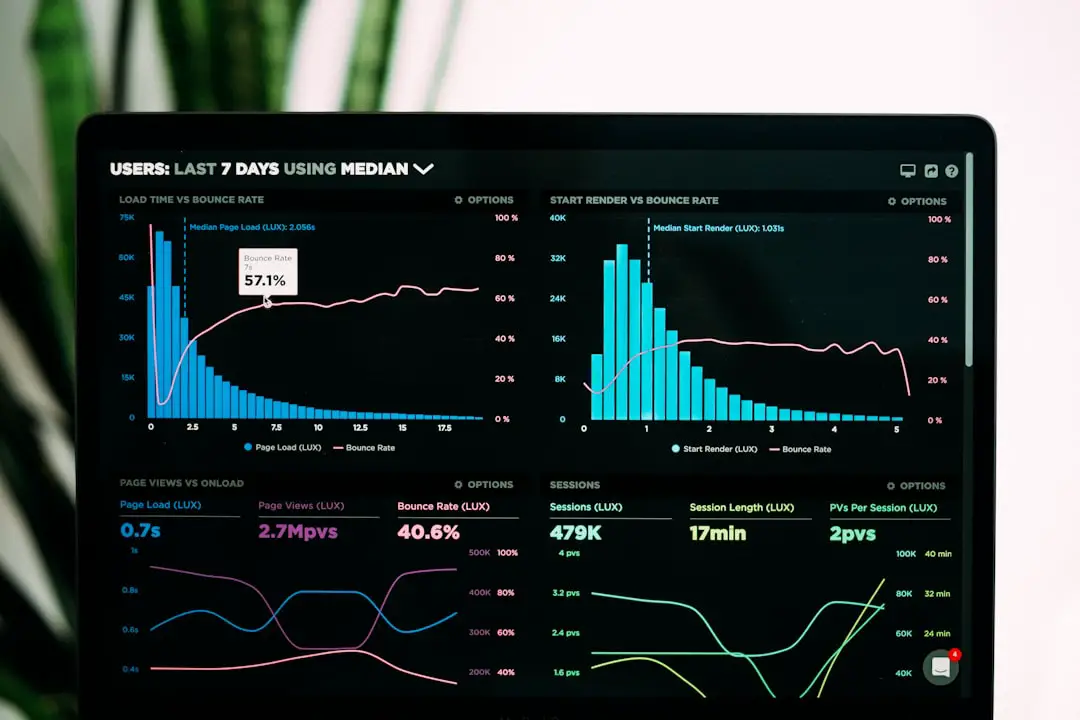
Simple Analytics lives up to its name. It gives you a clear overview of your app’s usage and behavior without needing complicated setup. With just a script, you can track simple events like signups or plan upgrades. It lacks “funnel-visualizations,” but you can still easily calculate conversion rates right from the dashboard.
Core Benefits:
- Blazing fast setup and clean UX
- No GDPR-cookie drama
- Supports custom events with ease
- Lightweight and independent, great for small projects
Best For: Founders who don’t want to overthink analytics but still care about tracking essential events.
Choosing the Right Tool for Your Stack
Your choice depends largely on your stack, team size, and where you’d like to lean — towards ease of use, visual feedback, or full control. Here’s a quick comparison to help you decide:
| Tool | Best For | Hosting | Custom Events | Price (as of 2024) |
|---|---|---|---|---|
| Pirsch | Server-based apps, privacy focus | SaaS | Yes | From $9/month |
| Fathom | Sleek UIs, plug-and-play | SaaS | Yes | From $14/month |
| PostHog | Power users and open source fans | Self-hosted | Yes | Free (self-hosted), Paid plans available |
| Simple Analytics | Clean data, no fluff | SaaS | Yes | From $9/month |
As an indie maker, your time and mental space are your top currencies. Avoid the trap of overengineering your analytics. Sometimes, “just enough insight” is all you need to iterate faster, make better product decisions, and convert more users to paid plans.
Frequently Asked Questions
What’s the difference between funnel tools and general analytics?
Funnel tools specifically track progression paths — such as trial sign-up to subscription — while general analytics tools focus on behavior like bounce rate, traffic sources, or page views. Indie makers often care more about “who became a customer and why”, which is where funnel-type tracking shines.
Can I use more than one tool at the same time?
Yes. Many indie makers use a combination — for example, Fathom for general page views and Pirsch or PostHog for deeper funnel tracking. Just ensure event tracking doesn’t overlap or create extra noise in your data.
Is it safe to send user and revenue data to these tools?
The tools listed here are GDPR-compliant, prioritize privacy, and many (like PostHog) can be self-hosted for complete data control. Always read the data policy and, if necessary, anonymize data before sending it.
Which tool is the least technical to install?
Fathom or Simple Analytics wins that one. Add a small script to your site or use a plugin, and you’re tracking within minutes.
Do I still need Google Analytics?
No. While Google Analytics offers granular data, it’s often overkill for indie makers. Any of the above tools provide meaningful insights minus the complexity.
Ultimately, your analytics strategy should help you grow faster — not slow you down. With these lightweight tools, you can keep moving forward while tracking the metrics that matter most.