
Design used to feel like a secret club. You needed fancy software. You needed training. You needed time. Now, design platforms like Canva have changed the game. They help anyone make good-looking posts, ads, flyers, logos, and brand content without panic.
TLDR: Design platforms make social media, marketing, and branding much easier. They give you templates, fonts, colors, photos, and simple editing tools in one place. You can create polished content fast, even if you are not a designer. The trick is to stay consistent and not let every design look like a confetti explosion.
Why These Platforms Are So Popular
People need content all the time. A business needs Instagram posts. A coach needs a lead magnet. A bakery needs a menu. A startup needs a pitch deck. A creator needs YouTube thumbnails. That is a lot of design work.
Design platforms solve a big problem. They make design feel less scary. You start with a template. Then you change the words, colors, images, and layout. It is like dressing a mannequin. The outfit is already there. You just make it fit your style.
Most platforms also work in your browser. No heavy software. No confusing setup. You log in and start creating. Simple.

What You Can Make With Them
These tools are not only for cute Instagram quotes. They can do much more. In fact, they can support almost every part of your online presence.
- Social media posts: Create posts for Instagram, Facebook, LinkedIn, Pinterest, TikTok, and more.
- Stories and reels covers: Make quick vertical designs that look sharp on phones.
- Ads: Build graphics for paid campaigns without waiting days for a designer.
- Logos and basic brand kits: Choose colors, fonts, and simple visual styles.
- Presentations: Make slides for webinars, sales calls, and team meetings.
- Flyers and posters: Promote events, sales, classes, and local offers.
- Email graphics: Add headers, banners, and promo images to newsletters.
- Print materials: Design business cards, menus, brochures, and labels.
This is why teams love them. One tool can help with many jobs. It keeps things simple. It also saves money.
The Magic of Templates
Templates are the main superpower. They give you a strong starting point. You do not stare at a blank screen. That blank screen can be rude.
A good template already has balance. It has spacing. It has a layout that makes sense. You only need to add your message and brand style.
But here is the catch. Do not use a template exactly as it is. Many other people may use it too. Change the colors. Replace the photos. Adjust the fonts. Move things around a bit. Make it yours.
Think of a template as cake mix. It helps a lot. But you still add your flavor.
Branding Becomes Easier
Branding is not just a logo. It is the feeling people get when they see your business. It is your colors. Your fonts. Your photos. Your tone. Your layout style. Even your emoji choices can become part of your brand. Yes, the tiny avocado matters.
Design platforms help you build a consistent look. Many let you save brand colors, fonts, and logos. This means each new design starts with your style ready to go.
Consistency builds trust. If every post looks different, people may feel confused. If your designs look connected, people remember you faster.

Great for Small Teams
Small teams have big to-do lists. The same person may handle sales, posts, emails, events, and customer support. That person may also be running on coffee and hope.
Design platforms help small teams move faster. A marketer can create a graphic. A founder can edit a pitch deck. A virtual assistant can resize a post. A social media manager can make a month of content in one afternoon.
Some tools also include team features. You can share folders. You can leave comments. You can lock certain brand elements. This helps everyone stay on track.
Helpful Features to Look For
Not all platforms are the same. Some are best for social media. Some are stronger for presentations. Some are better for teams. Before choosing one, look for features that fit your daily work.
- Easy templates: You want lots of useful layouts, not just pretty ones.
- Brand kit tools: Save your colors, fonts, logos, and style rules.
- Resize options: Turn one design into many sizes fast.
- Stock photos and icons: Built-in visuals save time.
- Collaboration: Comments and shared folders help teams work together.
- Export choices: Download files for web, print, video, and presentations.
- Simple video tools: Short videos are key for social media now.
- AI support: Some platforms can suggest layouts, remove backgrounds, or write text.
Pick the tool that matches your life. Do not choose the fanciest one just because it has many buttons. Buttons are not a strategy.
Design Tips That Make a Big Difference
You do not need a design degree to make better graphics. You only need a few habits.
- Use fewer fonts. Two fonts are usually enough.
- Leave space. Empty space makes designs look clean.
- Keep text short. Social media moves fast.
- Use contrast. Make sure people can read your words.
- Stay on brand. Use the same colors and style often.
- Choose clear images. Blurry photos hurt trust.
- Make one thing stand out. Do not make everything shout.
The last point is important. If every part of a design screams, nothing is heard. Let one message be the star.
Social Media Needs Speed
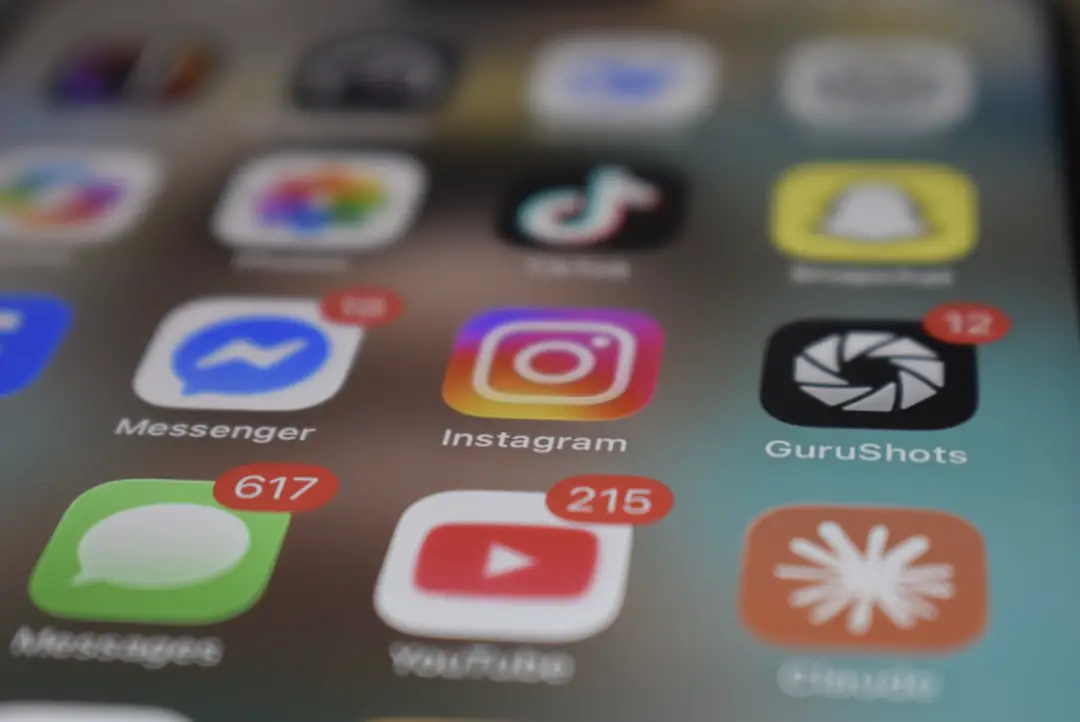
Social media moves like a squirrel with Wi-Fi. Trends appear quickly. Formats change. Audiences get bored. You need to respond fast.
Design platforms help you create content while the moment is still fresh. You can make a post for a sale, a trending topic, a holiday, or a product update in minutes.
They also help you repurpose content. One quote can become a square post, a story, a carousel, and a LinkedIn graphic. Same idea. Different outfit.

Marketing Looks More Professional
Good design can make a small business look bigger. It can make an offer feel more valuable. It can make information easier to understand.
This matters in marketing. People judge fast. A messy ad can make them scroll away. A clean design can make them pause. That pause is powerful.
Design platforms give non-designers the tools to create that pause. You can build campaign graphics, sales pages visuals, banners, and downloadable guides. You can test ideas without a huge budget.
But Do Not Overdo It
These platforms are fun. Very fun. Maybe too fun. There are stickers, effects, gradients, animations, frames, filters, and shiny things everywhere.
Use them with care. A design should help your message. It should not swallow it whole.
Before you finish a design, ask three simple questions:
- Is it clear?
- Is it on brand?
- Does it tell people what to do next?
If the answer is yes, you are in good shape.
The Bottom Line
Design platforms like Canva have made visual content more open to everyone. They help small businesses, creators, marketers, teachers, coaches, and teams make better content faster.
They are not a replacement for every professional designer. Big brand systems, complex campaigns, and custom creative work may still need an expert. But for daily content, these tools are amazing.
Use templates. Build a brand kit. Keep things simple. Stay consistent. And remember, good design is not about adding more. It is about making the message easy to see, easy to feel, and easy to remember.
In short: your brand does not need to look boring. It also does not need to look like a circus poster. With the right design platform, it can look clear, fun, and professional. That is the sweet spot.