
When buying or upgrading a gaming PC, small front-panel features can matter more than they first appear. One common question from photographers, creators, students, and everyday users is whether iBUYPOWER cases include an SD card slot. The short answer is that some PC cases and configurations may support card-reader accessories, but an SD card slot is generally not a standard feature on most modern iBUYPOWER gaming cases.
TLDR: Most iBUYPOWER cases do not include a built-in SD card slot by default. iBUYPOWER systems typically focus on gaming-oriented ports such as USB, audio, and sometimes USB Type-C, while SD card readers are usually omitted. If you need SD card access, the safest option is to check the exact case specification or use an external USB SD card reader. Some systems may support internal card-reader upgrades, but compatibility depends on the case and motherboard headers.
Do iBUYPOWER Cases Usually Have an SD Card Slot?
In most cases, no. iBUYPOWER desktops are primarily designed as gaming PCs, and their cases are usually built around airflow, tempered glass side panels, RGB lighting, and convenient USB connectivity. While these cases commonly include front or top ports for USB devices and headphones, a built-in SD card reader is not typically included.
This is not unusual. Many modern gaming PC cases from major brands have moved away from integrated SD card slots. Years ago, desktop towers often included multi-card readers, optical drives, and several front-panel expansion bays. Today, gaming cases are cleaner and more compact, with fewer legacy features. The result is that SD card readers are often treated as optional accessories rather than built-in components.
For iBUYPOWER specifically, the answer depends on the exact model. iBUYPOWER sells many different prebuilt systems, and the case used can change depending on the product line, retailer, promotion, or custom configuration. A system sold at one store may use a different chassis than a similarly named model sold elsewhere.


What Ports Are Common on iBUYPOWER Cases?
Although SD card slots are uncommon, most iBUYPOWER cases include a standard set of front or top-panel connections. These ports are intended for common gaming and desktop use.
Typical ports may include:
- USB Type-A ports for keyboards, mice, flash drives, controllers, and external accessories.
- USB Type-C on some newer or higher-end cases, depending on the motherboard and case design.
- Headphone and microphone jacks, sometimes separate and sometimes combined into one audio port.
- Power and reset buttons, though some cases omit a reset button.
- RGB control button on selected cases with built-in lighting controls.
What you usually will not see is a dedicated SD, microSD, CompactFlash, or multi-card reader built into the chassis. If a listing does not specifically mention a card reader, it is safest to assume that one is not included.
Why Don’t Most iBUYPOWER Cases Include SD Card Readers?
There are several practical reasons why SD card slots are not common on iBUYPOWER gaming cases.
1. Gaming PCs Prioritize Different Features
iBUYPOWER systems are usually marketed toward gamers and performance-focused users. The design priorities are often graphics card clearance, cooling performance, attractive lighting, cable management, and fast USB access. An SD card reader is useful, but it is not essential for the average gaming setup.
2. Fewer Cases Have Front Expansion Bays
Older desktop cases often had 3.5-inch or 5.25-inch external bays. These bays made it easy to install optical drives, fan controllers, or card readers. Modern gaming cases frequently eliminate those bays to improve airflow and aesthetics. Without an external bay, adding a clean built-in SD reader becomes more difficult.
3. External Card Readers Are Cheap and Flexible
USB SD card readers are inexpensive, portable, and widely compatible. Because users can easily plug one into a USB port, manufacturers often avoid adding a built-in reader that many buyers may never use. This keeps the case design simpler and helps reduce unnecessary components.
4. Different Users Need Different Card Formats
Some users need full-size SD. Others need microSD, CFexpress, CompactFlash, or UHS-II support. A basic built-in reader may not satisfy serious camera users, while casual users may not need one at all. External readers allow buyers to choose the exact card formats and speeds they require.
How to Check Whether Your iBUYPOWER PC Has an SD Card Slot
If you already own an iBUYPOWER system or are considering buying one, there are several reliable ways to confirm whether it includes an SD card slot.
- Inspect the front and top panel: Look carefully for a thin horizontal slot labeled SD, SDXC, microSD, or card reader.
- Check the product listing: Retail pages usually list front-panel I/O ports. If the card reader is not listed, it probably is not included.
- Review the case model: Some iBUYPOWER systems use known case models. Looking up the exact case can reveal included ports.
- Read the manual or quick-start guide: Documentation may identify all front-panel connectors.
- Contact iBUYPOWER support: If the listing is unclear, support can confirm the ports for a specific serial number or configuration.
Be cautious when relying only on product photos. Photos may show a similar system but not the exact configuration being sold. Retailers sometimes use general images, and minor features can vary between batches.
Can You Add an SD Card Reader to an iBUYPOWER PC?
Yes, in many cases you can add SD card functionality to an iBUYPOWER PC. The best method depends on how clean, fast, and permanent you want the solution to be.
External USB SD Card Reader
The simplest and most recommended option is an external USB card reader. It plugs into a USB port and works with most Windows systems immediately. This is usually the best choice for most users because it requires no installation inside the PC.
Advantages include:
- Easy setup: Plug it in and use it immediately.
- Low cost: Basic readers are inexpensive.
- Portable: You can use it with laptops and other computers.
- Format options: You can choose readers that support SD, microSD, UHS-II, CFexpress, or other formats.
If you transfer large photo or video files, choose a reader that supports the speed rating of your cards. For example, a high-quality UHS-II SD card will not perform at full speed in a basic low-speed reader.
Internal Card Reader
An internal card reader may be possible if your iBUYPOWER case has a compatible external bay or mounting location. However, many modern gaming cases do not have these bays. You must also ensure the motherboard has the necessary internal USB header for the reader.
Before buying an internal reader, confirm:
- The case has a suitable 3.5-inch or 5.25-inch external bay, if required.
- The motherboard has an available internal USB 2.0, USB 3.0, or USB Type-C header.
- The reader physically fits without interfering with fans, cables, or the graphics card.
- You are comfortable opening the case and connecting internal cables.
For many iBUYPOWER owners, an internal reader is less practical than an external one. It can look cleaner, but compatibility is not guaranteed.
Front Panel USB Hub With Card Reader
Another option is a front-panel hub that combines USB ports with SD and microSD readers. These devices are designed for cases with external drive bays. Again, the main limitation is whether your iBUYPOWER case actually has an accessible bay. Many tempered-glass gaming cases do not.
Does the Motherboard Matter?
Yes, but only for internal card readers. An SD card slot is not normally part of the motherboard on a desktop PC. It is usually part of the case front panel or a separate accessory. If you install an internal card reader, it connects to the motherboard through an internal USB header.
For an external USB reader, the motherboard matters much less. As long as the PC has a working USB port and a supported operating system, the reader should function. For best performance, use a fast USB 3.0 or newer port when transferring large files.
What About iBUYPOWER Laptops?
This article focuses on iBUYPOWER desktop cases, but it is worth noting that laptops are different. Some laptops include SD or microSD card readers, while others do not. If you are looking at an iBUYPOWER laptop or another gaming laptop, check the listed ports carefully. Thin gaming laptops often omit SD card readers for space-saving reasons.
Who Actually Needs an SD Card Slot?
An SD card reader is not essential for every user, but it can be very useful for certain workflows. You may want one if you regularly use:
- Digital cameras for photography or video.
- Action cameras that record to microSD cards.
- Drones that store footage on removable cards.
- Audio recorders used for interviews, podcasts, or field recording.
- 3D printers or older devices that rely on SD or microSD storage.
If you only need to access an SD card occasionally, a small USB reader is usually enough. If card transfers are part of your daily work, consider a higher-quality reader with strong speed ratings and support for the exact card type you use.

What to Look for When Buying an SD Card Reader
If your iBUYPOWER case does not include an SD slot, the right reader can solve the issue easily. Look for more than just the lowest price. A poor-quality reader can slow transfers, disconnect unexpectedly, or fail to support newer cards properly.
Important features include:
- Card compatibility: Make sure it supports SDHC, SDXC, microSD, or any specialized card format you need.
- Speed support: For professional media work, look for UHS-I, UHS-II, or the appropriate standard for your card.
- USB interface: USB 3.0, USB 3.1, USB 3.2, or USB-C readers are preferable for large files.
- Build quality: A sturdy reader is especially important if you use it often or travel with it.
- Cable length and placement: A short adapter may work well for laptops, while a cable-style reader may be easier to use with a desktop tower.
Common Misunderstandings About SD Slots on Gaming PCs
One frequent misunderstanding is that all desktop PCs include the same basic ports. In reality, desktop cases vary widely. A business desktop may include a card reader because office users often work with documents, cameras, or media cards. A gaming tower, however, may omit it because the design is optimized for airflow and appearance.
Another misconception is that an SD card slot can be added through software or drivers. It cannot. If there is no physical reader, software will not create one. You need either an external reader or an installed internal reader.
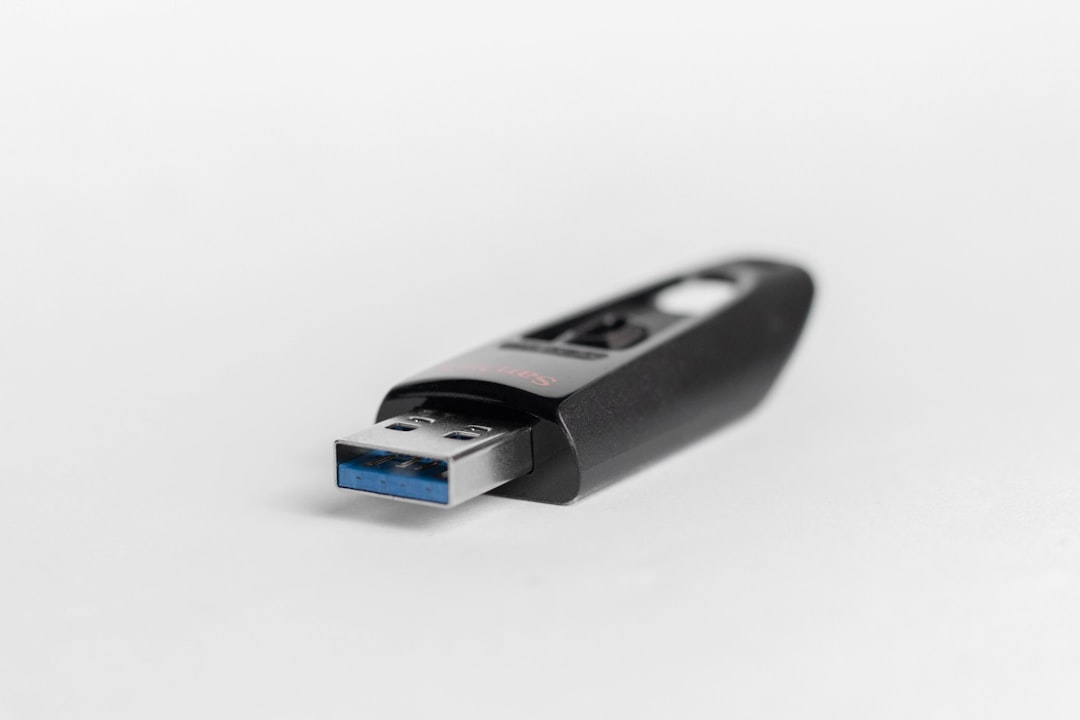
It is also important not to confuse an SD card slot with a USB port. Some slim USB flash drives look like card inserts, but they are different devices. An SD card must be inserted into a compatible card reader to be read by the computer.
Final Verdict
Most iBUYPOWER cases do not include a built-in SD card slot as a standard feature. This is normal for modern gaming desktops, which usually prioritize USB connectivity, cooling, lighting, and internal component space over legacy-style front-panel readers. A few specific configurations or modified systems may include card-reader functionality, but you should not assume it is present unless the product specifications clearly say so.
If SD card access is important to you, the most reliable solution is to buy a good external USB SD card reader. It is affordable, easy to use, and often faster or more versatile than a basic built-in reader. For a cleaner permanent setup, an internal reader may be possible, but only if your iBUYPOWER case and motherboard support it.
Before purchasing any iBUYPOWER system, review the exact model’s front-panel I/O specifications and product photos carefully. If the information is unclear, contact the seller or iBUYPOWER support for confirmation. That small step can prevent disappointment and ensure your new PC fits your workflow from the start.