

Upgrading your PC’s memory is often seen as a quick way to boost gaming performance. RAM is relatively affordable, easy to install, and widely discussed in hardware forums. But does adding more RAM actually increase gaming FPS, or is it simply a matter of meeting minimum requirements? The answer is more nuanced than many expect, involving real-world benchmarks, game engine behavior, and the principle of diminishing returns.
TLDR: More RAM can increase gaming FPS, but only if your system is currently limited by insufficient memory. Moving from 8GB to 16GB often results in noticeable improvements in modern games, while upgrading from 16GB to 32GB typically has minimal impact on average FPS. The biggest gains usually appear in improved frame consistency and reduced stuttering rather than dramatic FPS jumps. For most gamers today, 16GB is the sweet spot, while 32GB is beneficial for multitasking and future-proofing.
Understanding What RAM Actually Does in Games
Random Access Memory (RAM) acts as your system’s short-term workspace. When you play a game, assets such as textures, models, physics data, and scripts are loaded into RAM for quick access. The faster and more efficiently this data can be accessed, the smoother your experience.
However, RAM does not render frames. That job belongs primarily to your GPU, while the CPU handles calculations related to physics, AI, and draw calls. RAM simply allows these components to access necessary data quickly.
If you don’t have enough RAM, the system starts using storage (SSD or HDD) as virtual memory. Even the fastest NVMe SSD is dramatically slower than RAM, which causes:
- Stuttering and frame pacing issues
- Longer load times
- Texture pop-in
- Occasional severe FPS drops
This is the critical distinction: insufficient RAM hurts performance. But once you have “enough,” adding more does not scale FPS linearly.
Real Benchmark Results: 8GB vs 16GB vs 32GB
To understand whether more RAM increases FPS, we need to look at controlled benchmark comparisons. Modern AAA titles such as Cyberpunk 2077, Starfield, Hogwarts Legacy, and Call of Duty: Warzone provide good test scenarios because they demand significant memory resources.

8GB vs 16GB
In 2026, 8GB is increasingly insufficient for many modern titles. Benchmarks commonly show:
- 5–20% higher average FPS when upgrading to 16GB
- Significantly improved 1% low and 0.1% low frame rates
- Far fewer stutters during open-world traversal
For example, in memory-intensive open-world games, 8GB systems often experience asset streaming delays. While average FPS might appear similar in lighter scenes, demanding areas expose major instability.
Conclusion: Moving from 8GB to 16GB frequently provides meaningful real-world improvement.
16GB vs 32GB
The difference between 16GB and 32GB tells a different story. Across most modern game benchmarks:
- Average FPS difference is typically 0–5%
- 1% low improvements are modest and situational
- Minimal effect unless multitasking heavily
In purely gaming-focused scenarios, 16GB is usually sufficient to prevent memory bottlenecks. Games often use between 8GB and 14GB of system memory, leaving reasonable headroom on a 16GB setup.
Conclusion: Upgrading from 16GB to 32GB rarely produces major FPS gains unless other workloads are involved.
The Importance of 1% Lows and Frame Consistency
Average FPS alone does not tell the full story. Frame time consistency significantly affects perceived smoothness. This is where RAM capacity can matter more than headline FPS numbers.
When RAM is close to saturation:
- The system may briefly offload tasks to storage
- Background processes compete for resources
- Frame pacing becomes inconsistent
As a result, you may see acceptable 90 FPS averages but experience frequent dips into the 40–50 range. Increasing RAM provides breathing room, stabilizing frame times.
This is especially noticeable in:
- Large open-world games
- Simulation titles
- Modded games (e.g., heavily modded Skyrim or Minecraft)
- Systems running browsers, Discord, or streaming software simultaneously
RAM Speed and Configuration Matter Too
Capacity is only part of the equation. Memory speed and channel configuration also influence performance.
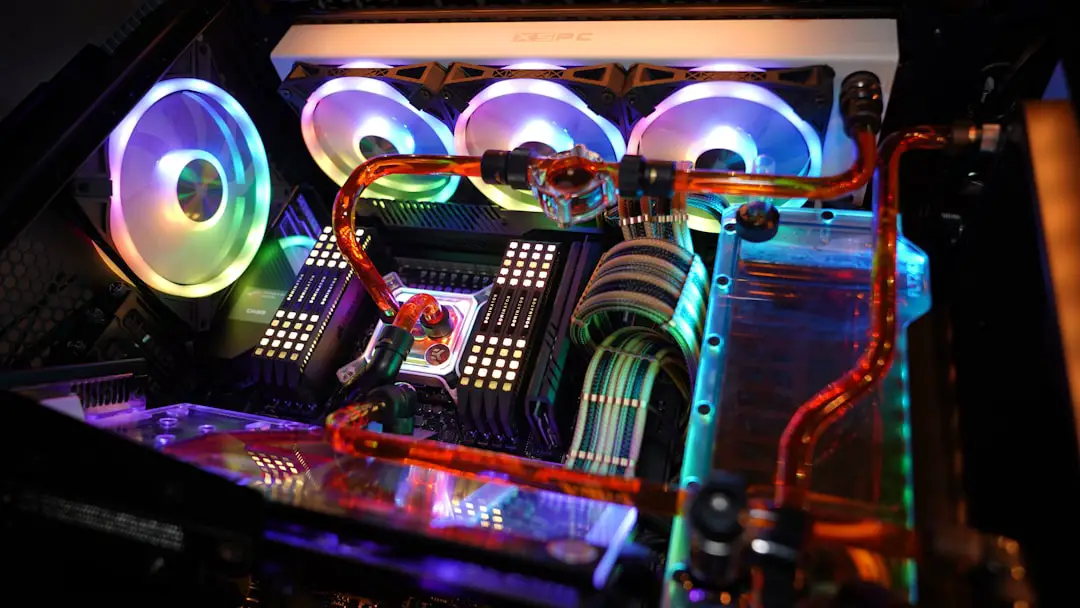
Single Channel vs Dual Channel
Running RAM in dual channel mode (two matched sticks) increases memory bandwidth. Benchmarks often show:
- 5–15% FPS improvement compared to single channel
- Better minimum frame rates
- More consistent CPU performance
A system with 16GB in dual channel frequently outperforms a system with 32GB in single channel for gaming workloads.
Memory Speed
Faster RAM (for example, DDR5-6000 vs DDR5-4800) can yield small but measurable gains, especially on Ryzen platforms that benefit from memory tuning. However, like capacity upgrades beyond 16GB, speed improvements show diminishing returns.
Diminishing Returns Explained
Diminishing returns occur when adding more of a resource results in progressively smaller performance gains. With RAM, this principle becomes obvious after reaching sufficient capacity.
Think of it as filling a water tank:
- If the tank is half full (8GB in a demanding game), adding water helps significantly.
- If the tank is nearly full (16GB in most games), adding more creates minimal benefit.
- If it’s already sufficient (32GB for gaming only), extra capacity sits unused.
Benchmarks consistently demonstrate that once memory usage stays comfortably below system capacity, FPS becomes limited by:
- GPU performance
- CPU bottlenecks
- Game engine optimization
At that point, upgrading RAM will not significantly increase frame rates.
When More Than 16GB Makes Sense
Although 16GB is the mainstream recommendation, certain scenarios justify 32GB or more:
- Streaming while gaming
- Heavy multitasking (multiple browsers, apps, background tools)
- Professional workloads combined with gaming
- Extensive modding
- Future-proofing high-end builds
Some recent AAA titles already push close to 16GB usage under maximum settings, particularly at 1440p and 4K with background applications running. While they may not strictly require 32GB, having additional headroom prevents rare memory-related slowdowns.

How Much RAM Do You Actually Need?
Based on current industry data and benchmarks, the practical recommendations are clear:
- 8GB: Entry-level only. Not recommended for modern AAA gaming.
- 16GB: The ideal balance of cost and performance for most gamers.
- 32GB: Best for enthusiasts, multitaskers, streamers, and high-end builds.
- 64GB+: Unnecessary strictly for gaming.
The majority of measurable gaming FPS improvements occur when upgrading from 8GB to 16GB. Beyond that, upgrades mostly enhance stability, multitasking capability, and long-term viability rather than raw frame rates.
Common Misconceptions
“More RAM always increases FPS.”
False. Only insufficient RAM limits FPS.
“32GB doubles performance compared to 16GB.”
There is no linear scaling effect. Performance gains drop sharply once adequate capacity is reached.
“RAM is as important as GPU for gaming.”
RAM prevents bottlenecks, but GPU remains the primary determinant of gaming FPS.
Final Verdict
Does more RAM increase gaming FPS? Sometimes. If your system is memory-constrained, upgrading can deliver noticeable improvements in smoothness and measurable gains in frame consistency. However, once you reach sufficient capacity—typically 16GB for modern gaming—additional RAM produces minimal returns in average FPS.
The most significant performance benefits come from balanced system design: a capable GPU, a strong CPU, dual-channel memory, and adequate RAM capacity. Memory should not be overlooked, but it should also not be overestimated.
For most gamers building or upgrading a PC in 2026, 16GB of fast, dual-channel RAM offers the best value-to-performance ratio. Moving to 32GB makes sense in specific scenarios, but as far as pure gaming FPS is concerned, it is often an investment in stability and longevity rather than raw speed.
Ultimately, smart upgrades are guided by evidence—not assumptions. Benchmarks consistently show that while insufficient RAM can hurt performance, simply adding more does not guarantee higher frame rates. Understanding where your system’s true bottleneck lies is the key to making the right decision.