

Businesses work smarter with cloud computing apps because teams can share files, manage work, sell online, serve customers, and study data from any connected device. That means less waiting. Less “Who has the latest file?” Less panic when a laptop dies.
TLDR: Cloud apps move everyday work into secure online tools, so people can act faster and waste less time. A 25-person shop might cut project update meetings from 5 hours a week to 2 by using cloud task boards and shared docs. A sales team can spot that 38% of leads come from one campaign, then spend money where it actually works. The simple win is this: cloud tools turn scattered work into one shared workspace.


What cloud computing apps actually do
Cloud computing sounds fancy. It is not magic. It means your software and data live on internet servers instead of only on one office computer.
You open an app. You log in. Your work is there. On a laptop. On a tablet. On a phone. At the office. At home. In an airport with bad coffee.
Common cloud apps include:
- File storage: Google Drive, Dropbox, OneDrive, and similar tools.
- Project management: Trello, Asana, Monday.com, ClickUp, and Jira.
- Customer management: Salesforce, HubSpot, Zoho CRM, and others.
- Accounting: QuickBooks Online, Xero, FreshBooks, and Wave.
- Communication: Slack, Microsoft Teams, Zoom, and Google Meet.
- Data and reports: Power BI, Looker Studio, Tableau Cloud, and similar apps.
The idea is simple. People stop passing files around like hot potatoes. They work in one place.
Teams move faster with shared workspaces
Old work was messy. Someone saved a file as “final.” Then someone else saved “final final.” Then came “final final v7.” Honestly, it feels like a tiny paperwork goblin is running the office.
Cloud apps fix much of that pain. A shared document updates for everyone. Comments stay beside the work. Old versions can be restored. Permissions keep private items private.
This helps teams make decisions faster. A manager can check a budget at 8 a.m. A designer can upload a draft at 8:10. A client can comment at 8:20. Nobody needs to ask, “Can you resend that?” for the third time.
That sounds small. It is not. Small delays stack up. If 10 employees each save 15 minutes a day, that is 12.5 hours a week. That is more than one full workday back.
Customer service gets less painful
Cloud customer tools help businesses remember people. Not in a creepy way. In a useful way.
A support agent can see past emails, purchases, complaints, and notes in one screen. So the customer does not need to repeat the same sad story five times. That alone can save a conversation.
Example: A small online store gets 300 support tickets a week. Before using a cloud help desk, average reply time was 18 hours. After adding saved replies, ticket routing, and order history, reply time dropped to 6 hours. Customers were happier. Staff were less frazzled.
Cloud apps can also send automatic updates. “Your order shipped.” “Your appointment is tomorrow.” “Your refund was processed.” Simple messages reduce support requests. People like knowing what is going on.
Sales teams stop guessing
Cloud sales apps are like a shared memory for the whole sales team. They track leads, phone calls, emails, quotes, and deals.
That matters because sales gets weird fast. One person remembers a great lead. Another forgets to send a follow-up. A third person leaves the company, and their notes vanish into the void.
A cloud CRM keeps the trail clear. It can show:
- Which leads are new.
- Who needs a follow-up.
- Which deals are close to closing.
- Which products sell best.
- Which ads bring real buyers.
It drives me crazy when teams spend money on ads but do not track what happens next. A cloud CRM can show that one campaign brings 1,000 clicks but only 5 buyers. Another brings 300 clicks and 25 buyers. The second one wins. Bigger numbers are not always better.

Managers get better numbers
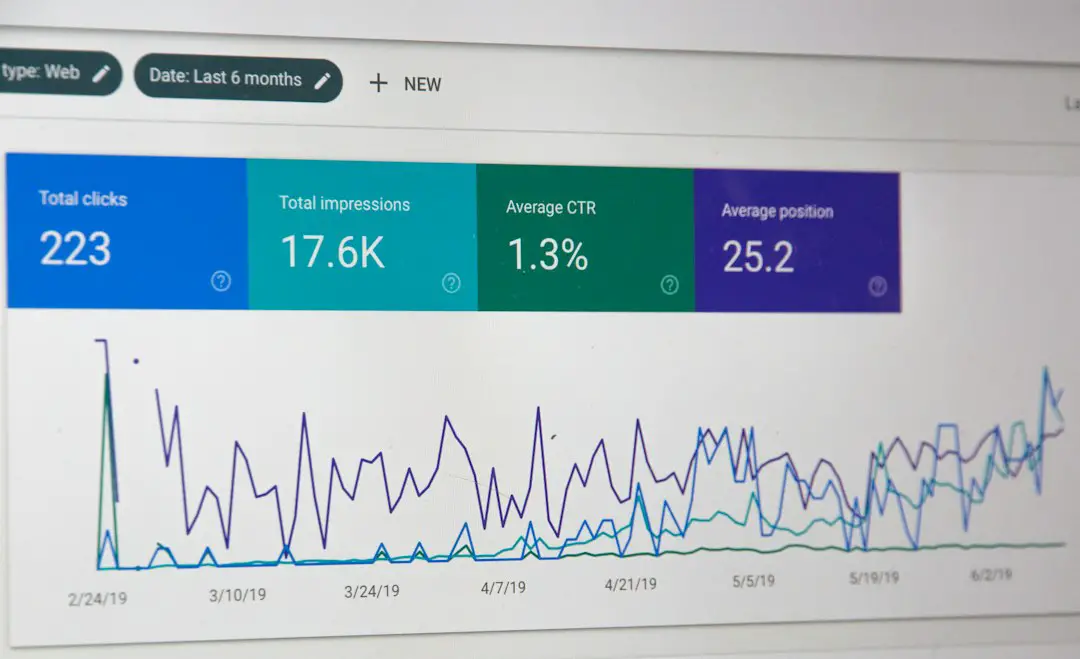
Cloud reporting tools turn raw data into simple charts. That is useful. Most people do not want to stare at rows of numbers until their soul leaves the room.
With dashboards, a business can track sales, stock, staff hours, website visits, and customer reviews. The best part is that reports can update on their own.
A restaurant owner might check a dashboard and see that Tuesday lunch sales dropped 22% over six weeks. That is a clear signal. Maybe the menu needs a special. Maybe staffing should change. Maybe local office workers are staying home on Tuesdays.
Good data does not make choices for you. But it makes bad guesses easier to spot.
Remote and hybrid work becomes normal
Cloud apps make remote work less clumsy. Staff can join meetings, edit files, approve invoices, and answer customers from almost anywhere.
This helps small companies hire better people. They are not stuck with only nearby talent. A bookkeeper can work from one city. A developer can work from another. A customer agent can cover a late shift from home.
Still, remote work needs rules. Otherwise, chat apps become a slot machine of distractions. Ping. Ping. Ping. There goes your focus.
Smart teams set simple habits:
- Use task boards for work status.
- Use chat for quick questions.
- Use meetings only when discussion is needed.
- Use shared docs for decisions and notes.
- Use clear names for files and folders.
Cloud tools do not fix sloppy habits by themselves. They make good habits easier to keep.
Costs can be easier to control
Many cloud apps use a monthly fee. That can feel annoying. Nobody loves another subscription.
But there is a trade. Businesses often avoid buying servers, paying for big upgrades, or calling IT every time software breaks. Updates happen in the background. Storage can grow when needed. Plans can shrink if the team gets smaller.
This is helpful for newer companies. They can start with a few seats. Then add more as they grow. No giant tech bill on day one.
To avoid waste, businesses should review app costs every quarter. Look for unused accounts. Check duplicate tools. Cancel the apps nobody opens. Expect to find at least one dusty subscription hiding in plain sight.
Security gets stronger, if people use it right
Cloud apps can be very secure. Major providers spend heavily on encryption, backup systems, threat monitoring, and uptime. A small business often cannot match that alone.
But people are still people. Weak passwords cause trouble. Shared logins cause trouble. Clicking strange links causes lots of trouble.
Basic safety steps matter:
- Turn on multi factor authentication.
- Use strong, unique passwords.
- Give staff only the access they need.
- Remove access when someone leaves.
- Back up key data.
- Train staff with short, plain lessons.
Security should not feel like a locked dungeon. It should feel like seat belts. Slightly annoying. Very useful.

How to pick the right cloud apps
Do not buy every shiny tool. That way lies chaos. Start with a real problem.
Ask these questions:
- What task wastes the most time?
- Where do mistakes happen often?
- Which team needs better visibility?
- Will this app work with our current tools?
- Can staff learn it in a week?
- Does the price still make sense in one year?
Run a small test. Pick one team. Use the app for 30 days. Measure something simple. Time saved. Tickets closed. Deals followed up. Reports created.
If the tool helps, expand it. If it adds more clicks than value, drop it. No guilt. Software should earn its chair at the table.
The real payoff
Cloud computing apps help businesses work smarter by putting people, data, and tasks in the same place. That cuts delay. It improves service. It makes reports clearer. It helps teams act instead of guess.
The best cloud setup is not the biggest one. It is the one people actually use. Keep it simple. Train the team. Track the results. Then let the cloud do the boring stuff, so humans can do the smart stuff.