
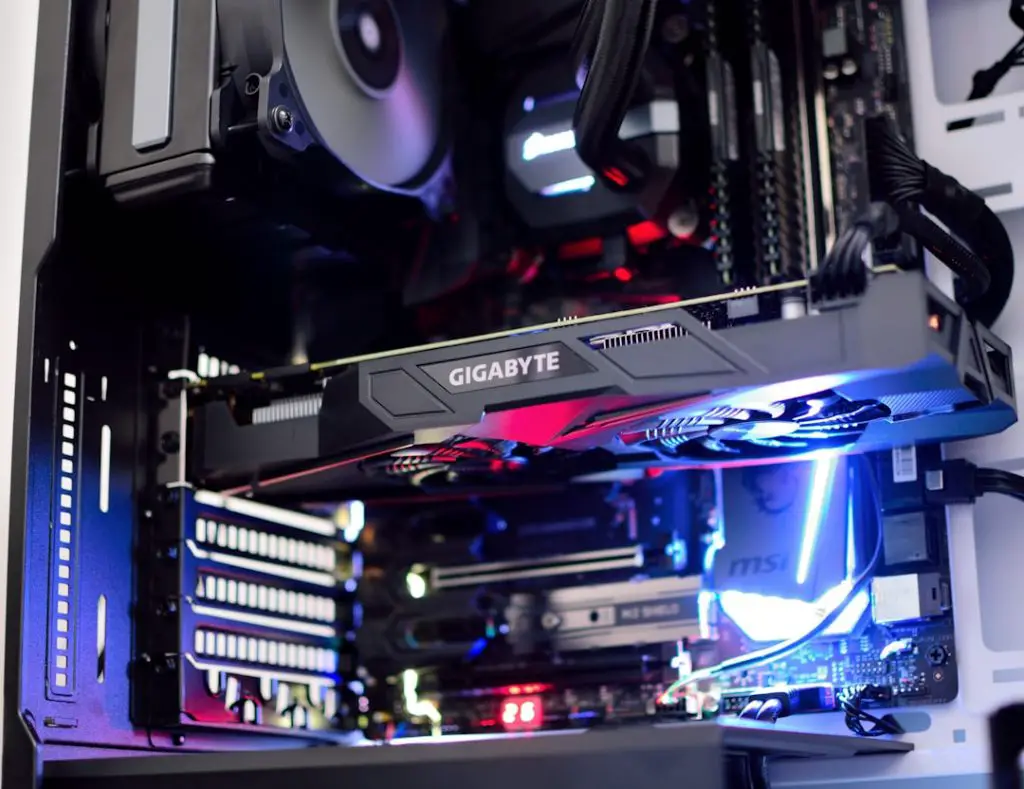
The Nvidia GeForce GTX 1660 Super remains a popular graphics card for gaming PCs, budget workstations, and general-purpose desktop builds. If you are planning to install or upgrade to Windows 11, the important question is straightforward: is the GTX 1660 Super compatible with Windows 11? In practical terms, the answer is yes, but compatibility depends not only on the graphics card itself, but also on the rest of your computer and the driver support you install.
TLDR: The GTX 1660 Super is compatible with Windows 11 and is supported by official Nvidia drivers. It supports DirectX 12 and works well for gaming, video playback, creative apps, and everyday desktop use under Windows 11. However, your PC must also meet Microsoft’s Windows 11 requirements, including TPM 2.0, Secure Boot support, a compatible processor, and enough memory and storage.
Windows 11 Compatibility: The Short Answer
The Nvidia GeForce GTX 1660 Super is fully usable on Windows 11. Nvidia provides Windows 11 drivers for the GTX 16 series, including the 1660 Super, through its official Game Ready and Studio driver packages. This means the card can be installed in a Windows 11 system and used for normal display output, gaming, GPU acceleration, video editing, and other graphics workloads.
The GTX 1660 Super is based on Nvidia’s Turing architecture, although it does not include dedicated RT cores for hardware ray tracing or Tensor cores for DLSS in the same way RTX cards do. Even so, it remains a capable GPU and supports the key graphics technologies needed for Windows 11, including DirectX 12, modern display drivers, hardware video decoding, and multi-monitor setups.


Official Driver Support for Windows 11
One of the most important factors in operating system compatibility is driver availability. A graphics card may be physically capable of running an operating system, but without stable drivers, performance and reliability can suffer. Fortunately, the GTX 1660 Super is still supported by Nvidia’s current driver ecosystem.
For Windows 11, Nvidia offers two main driver types:
- Game Ready Drivers: These are optimized for gaming performance, new game releases, bug fixes, and general GPU performance improvements.
- Studio Drivers: These are intended for content creation workflows, including video editing, 3D rendering, photography applications, and design software.
Most users should install the Game Ready Driver if the PC is primarily used for gaming. If the system is mainly used for creative work, the Studio Driver may be the more stable choice. Both driver types support Windows 11 and the GTX 1660 Super.
It is strongly recommended to download drivers directly from Nvidia’s official website or through Nvidia GeForce Experience. While Windows Update can install a basic compatible driver automatically, the latest official Nvidia driver usually provides better performance, control panel features, game profiles, bug fixes, and stability improvements.
Does the GTX 1660 Super Meet Windows 11 Graphics Requirements?
Microsoft lists the Windows 11 graphics requirement as a graphics card compatible with DirectX 12 or later with a WDDM 2.0 driver. The GTX 1660 Super satisfies this requirement. It supports DirectX 12 and uses modern Windows Display Driver Model drivers provided by Nvidia.
This means that from a graphics standpoint, the GTX 1660 Super is suitable for Windows 11. You should be able to use Windows 11 visual effects, hardware acceleration, gaming APIs, high-resolution displays, and modern monitor configurations without compatibility concerns related to the GPU itself.
The GPU Is Compatible, but Your Whole PC Must Qualify
Although the GTX 1660 Super is compatible with Windows 11, it is only one part of the system. Many users confuse graphics card compatibility with full PC compatibility. Windows 11 has several system requirements that depend on the motherboard, processor, firmware, and security features.
To officially install Windows 11, your system generally needs:
- A compatible 64-bit processor supported by Microsoft
- TPM 2.0, either as a dedicated module or firmware TPM
- Secure Boot capability enabled through UEFI firmware
- At least 4 GB of RAM, though 8 GB or more is strongly recommended
- At least 64 GB of storage
- DirectX 12 compatible graphics with WDDM 2.0 driver support
- A UEFI-based system firmware rather than legacy BIOS-only boot mode
If your computer has a GTX 1660 Super but an older processor or motherboard without TPM 2.0 or Secure Boot support, the system may fail Microsoft’s official Windows 11 compatibility check. In that situation, the graphics card is not the problem. The limitation is usually the CPU, motherboard firmware, or security configuration.
Performance of the GTX 1660 Super on Windows 11
In most cases, the GTX 1660 Super performs well under Windows 11. For 1080p gaming, it remains a reliable mid-range card capable of running many modern games at medium to high settings, depending on the title. Older esports titles such as Counter Strike 2, Valorant, Fortnite, Rocket League, and League of Legends can generally run smoothly when paired with a suitable CPU and enough RAM.
For demanding modern AAA games, users may need to reduce settings such as texture quality, shadows, anti-aliasing, and post-processing effects. The GTX 1660 Super has 6 GB of GDDR6 memory, which is still usable, but some newer games can exceed that amount at high settings, especially at resolutions above 1080p.
Windows 11 itself does not make the GTX 1660 Super obsolete. In fact, with updated Nvidia drivers, the difference between Windows 10 and Windows 11 performance is usually small. Some games may run slightly better on Windows 10, while others may benefit from Windows 11’s newer scheduler, driver model, or platform updates. In normal use, the difference is not usually large enough to make the GTX 1660 Super a poor choice for Windows 11.
Gaming Features and Limitations
The GTX 1660 Super supports many important gaming technologies, but it does not support every feature available on newer Nvidia RTX cards. This distinction matters for Windows 11 users who want access to the latest graphics enhancements.
Supported features include:
- DirectX 12: Required for many modern games and supported by Windows 11.
- Nvidia Reflex support in compatible games: Useful for reducing system latency in competitive titles.
- G Sync Compatible display support: Available with many adaptive sync monitors, depending on the monitor and connection type.
- NVENC video encoding: Useful for streaming and recording gameplay with reduced CPU load.
- Multiple monitor support: Suitable for productivity and gaming setups.
Limitations include:
- No dedicated RT cores: Ray tracing support is limited and performance is generally not suitable for serious ray traced gaming.
- No DLSS support: The GTX 1660 Super lacks Tensor cores, so Nvidia DLSS is not available.
- Limited high-resolution performance: It is primarily a 1080p card and is less ideal for 1440p or 4K gaming in demanding modern titles.
These limitations do not affect basic Windows 11 compatibility. They simply define what level of gaming performance and modern feature support you should expect.
Installing the GTX 1660 Super on Windows 11
If you are building or upgrading a Windows 11 PC with a GTX 1660 Super, installation is usually straightforward. The card uses a standard PCI Express x16 slot and requires external power, commonly through an 8-pin PCIe power connector, depending on the specific model.
Before installation, confirm that your system has:
- A compatible PCIe x16 slot on the motherboard
- A power supply with enough wattage, typically 450 watts or more from a reputable brand
- The correct PCIe power connector for your GPU model
- Enough case clearance for the length and thickness of the card
- Good airflow to keep temperatures under control
After physically installing the card, boot into Windows 11 and install the latest Nvidia driver. A clean driver installation is often a good idea, especially if you previously used an AMD GPU or a much older Nvidia card. Tools such as Display Driver Uninstaller are commonly used by advanced users, but many systems work fine with a normal Nvidia driver installation.
Common Issues and How to Address Them
Most GTX 1660 Super systems run Windows 11 without major problems, but some issues can occur. These are usually related to drivers, firmware settings, cables, or outdated system software rather than the GPU being incompatible.
Black screen after installation: Check that the monitor cable is connected to the GTX 1660 Super, not the motherboard video output. Also verify that the card is fully seated in the PCIe slot and that its power connector is attached.
Low resolution or missing Nvidia Control Panel: This usually means the correct Nvidia driver is not installed. Download and install the latest Windows 11 driver from Nvidia.
Game crashes or instability: Update the graphics driver, install Windows updates, check GPU temperatures, and confirm that the power supply is adequate. If the card is overclocked, return it to default settings for testing.
Windows 11 installation blocked: If the PC Health Check tool says the system is unsupported, check TPM 2.0, Secure Boot, UEFI mode, and CPU compatibility. The GTX 1660 Super is unlikely to be the reason for the failure.

Windows 10 vs Windows 11 With the GTX 1660 Super
Some users wonder whether they should stay on Windows 10 because the GTX 1660 Super is not a new GPU. In most cases, Windows 11 is a reasonable choice if the rest of the PC is officially supported. Nvidia continues to maintain drivers for both operating systems, and the GTX 1660 Super remains stable on Windows 11.
That said, users with older CPUs or motherboards may find that Windows 10 is still the safer option if their system does not officially meet Microsoft’s Windows 11 requirements. Windows 10 may also feel more familiar and may have fewer compatibility concerns with older software or peripherals. However, from the graphics card perspective alone, there is no strong reason to avoid Windows 11 because of the GTX 1660 Super.
Is the GTX 1660 Super Still a Good Choice for Windows 11?
The GTX 1660 Super is still a sensible GPU for many Windows 11 users, especially for 1080p gaming, streaming, general desktop use, and light creative work. It is not a cutting-edge graphics card, and it lacks RTX-specific features, but it offers stable performance and mature driver support.
For users who already own the card, upgrading to Windows 11 should not require a GPU replacement. For buyers considering a used GTX 1660 Super, it can still be a good value if priced appropriately. However, if you want ray tracing, DLSS, better 1440p performance, or longer future support, a newer RTX card may be a better investment.
Final Verdict
Yes, the GTX 1660 Super is compatible with Windows 11. It meets Microsoft’s graphics requirements, supports DirectX 12, and is covered by official Nvidia Windows 11 drivers. For gaming and everyday performance, it remains a dependable card, particularly at 1080p.
The main point to remember is that Windows 11 compatibility depends on the entire computer, not just the graphics card. If your CPU, motherboard, TPM, Secure Boot configuration, memory, and storage meet Windows 11 requirements, the GTX 1660 Super should work normally. With current drivers and a properly configured system, it is a trustworthy and practical GPU for a Windows 11 PC.