

A Kubernetes cost management platform should explain where cluster spend goes, why it changed, and what action will reduce it without hurting reliability. The best tools do more than show a monthly bill. They connect costs to namespaces, workloads, teams, services, and business goals, then help engineers fix waste before finance asks awkward questions.
TLDR: A strong platform should offer cost allocation, rightsizing, anomaly detection, forecasting, unit economics, and automation controls. For example, a SaaS company running 40 clusters might find that 28% of compute spend comes from idle requested CPU, then cut monthly Kubernetes costs from $120,000 to $92,000 through rightsizing and scheduled shutdowns. The platform should make these savings visible by team and service, not buried in cloud invoices. It should also give engineers safe recommendations they can trust.
Why Kubernetes Cost Management Needs Its Own Platform
Kubernetes hides waste well. A cluster may look healthy while burning money through oversized pods, idle nodes, orphaned volumes, and overprovisioned requests. Cloud billing tools often stop at the account or node level. That is not enough.
Finance wants to know which product line caused the increase. Engineering wants to know which deployment needs tuning. Platform teams want to reduce waste without causing incidents. A useful Kubernetes cost management platform connects all three views.
Honestly, it feels like many tools still expect teams to export CSV files and argue in spreadsheets. That gets old fast. Good platforms reduce that back and forth by showing cost ownership clearly.


1. Accurate Cost Allocation
Cost allocation is the core feature. Without it, every other report is weaker. The platform should break down spend by:
- Cluster
- Namespace
- Workload
- Pod
- Label
- Team
- Application
- Environment, such as production or staging
Labels matter here. The platform should support Kubernetes labels, cloud tags, and custom business mappings. If a company uses team, service, and cost center labels, the tool should turn those into clean reports.
It should also handle shared costs. Node overhead, control plane charges, network traffic, and shared platform services must be split fairly. If these costs are ignored, teams may get a fake view of their spend.
2. Rightsizing Recommendations
Most Kubernetes waste comes from a simple mismatch: workloads request more CPU and memory than they use. A platform should compare requests, limits, and real usage over time.
The tool should recommend safe changes, such as reducing a memory request from 4 GiB to 2 GiB when 30 days of usage shows a 95th percentile of 1.3 GiB. It should also flag risky workloads with no limits, frequent restarts, or sharp usage spikes.
The best recommendations include context. A vague “reduce CPU” message is not enough. Engineers need the current value, suggested value, confidence level, expected savings, and risk warning. Otherwise, they will ignore it.
3. Cluster and Node Optimization
Kubernetes cost management is not only about pods. The platform should show whether nodes are packed well. It should identify:
- Underused node pools
- Idle nodes
- DaemonSet overhead
- Fragmented resources
- Wrong instance types
- Missed spot instance options
- Autoscaler issues
This is where small gaps become expensive. A team may have enough total free CPU, but it may be scattered across nodes in a way that prevents scheduling. The platform should explain this, not just show average utilization.
Expect to waste time on tools that say a cluster is “45% utilized” but cannot say which node pool is causing the problem. That number looks useful. By itself, it is not.
4. Real Time Anomaly Detection
Unexpected cost spikes need fast alerts. A platform should detect anomalies across compute, storage, network, and managed Kubernetes services. It should compare current spend with past patterns and alert teams when costs jump outside normal ranges.
Useful alerts should include a likely cause. For example: “Namespace checkout increased CPU cost by 42% after deployment v2.8.1.” That is far better than a vague message saying cloud spend rose yesterday.
Alerts should connect with tools teams already use, such as Slack, Microsoft Teams, Jira, PagerDuty, or email. Cost alerts should not live in a dashboard nobody opens.

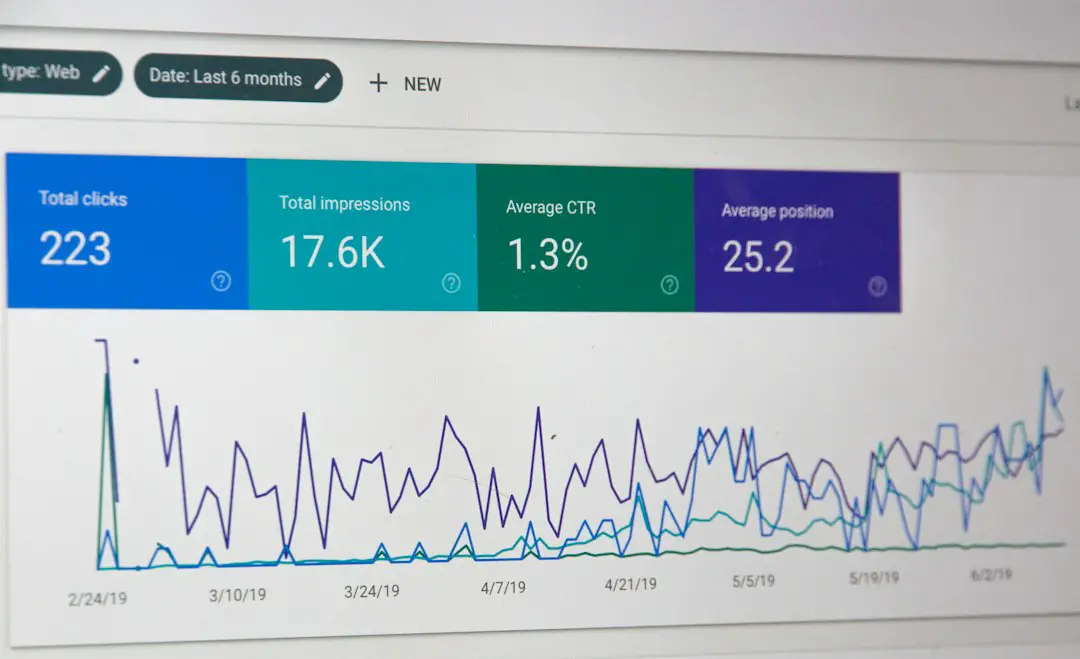
5. Forecasting and Budget Controls
A cost platform should help teams plan ahead. Forecasting shows where monthly or quarterly spend is heading before the bill lands. This helps finance teams avoid surprises and gives engineering time to act.
Useful budget features include:
- Monthly budget tracking by team or product
- Burn rate alerts
- Forecasts based on daily usage
- Custom budget rules
- Seasonal comparison
For instance, if a team has a $50,000 monthly Kubernetes budget and has already consumed $38,000 by day 18, the platform should flag the risk early. It should also show which workloads are driving the burn.
6. Unit Cost Metrics
Total cost is useful, but unit cost is better. A growing business may spend more because it serves more customers. That is not always bad. The platform should support metrics such as:
- Cost per customer
- Cost per transaction
- Cost per API request
- Cost per build
- Cost per tenant
These metrics connect infrastructure spend to business output. If Kubernetes spend rises 20% while transactions rise 60%, efficiency may be improving. If spend rises 20% while traffic stays flat, waste is likely increasing.
7. Showback and Chargeback Support
Cost reports should help teams own their usage. Showback displays spend by team without billing them directly. Chargeback assigns actual internal costs to departments or products.
A good platform should support both. It should generate reports that finance understands and engineers accept. The report should be transparent. If a team is charged for shared ingress or observability tooling, the formula should be visible.
This reduces arguments. It also changes behavior. When teams see that development clusters cost $12,000 per month and sit idle every weekend, shutdown policies become much easier to approve.
8. Automation With Guardrails
Recommendations are useful. Automation can be better, but only with controls. The platform should support actions such as:
- Scheduling nonproduction clusters to shut down after hours
- Deleting unused persistent volumes after approval
- Applying rightsizing changes through pull requests
- Moving eligible workloads to cheaper node pools
- Enforcing label policies
Automation should not make surprise production changes. Safer platforms use approval workflows, GitOps integration, audit logs, and rollback options. Engineers need to see what changed and why.
9. Multi Cloud and Hybrid Support
Many organizations run Kubernetes across AWS, Azure, Google Cloud, and on premises environments. The platform should normalize pricing and usage across these systems. It should support managed services like EKS, AKS, and GKE, plus self managed clusters.
The platform should also understand cloud discounts. Reserved instances, savings plans, committed use discounts, and spot pricing can all change true costs. If the tool ignores them, reports may be misleading.
10. Security, Governance, and Access Control
Cost data can reveal product plans, traffic patterns, and customer growth. Access should be controlled. The platform should offer role based permissions, SSO, audit logs, and data retention settings.
Governance features also matter. Teams should be able to enforce required labels, detect unowned resources, and set policies for expensive workloads. Policy checks during deployment can prevent waste before it reaches production.


What a Good Platform Feels Like in Daily Use
A strong platform gives each group the right view. Engineers see workload recommendations. Platform teams see cluster efficiency. Finance sees budgets, forecasts, and business mappings. Executives see unit costs and trends.
The interface should be fast and clear. If it takes 12 seconds to load a namespace report every time someone changes a filter, people will stop using it. Cost tools must fit into daily work, not become another place where data goes to die.
The strongest sign of success is behavior change. Teams add better labels. Engineers check cost before scaling. Product owners ask about cost per customer. Finance trusts the numbers. Waste drops without endless meetings.
FAQ
What is Kubernetes cost management?
Kubernetes cost management is the process of tracking, allocating, reducing, and forecasting the cost of running workloads on Kubernetes clusters.
What is the most important platform feature?
Accurate cost allocation is usually the most important feature. Teams need to know who owns each cost before they can reduce it.
How much can companies save with Kubernetes cost optimization?
Savings vary, but many teams find 15% to 35% waste in oversized requests, idle clusters, poor node selection, and unused storage.
Should a platform support showback and chargeback?
Yes. Showback builds awareness, while chargeback creates stronger ownership. Both require clear allocation rules.
Can automation be risky?
Yes. Automation should use approvals, audit logs, GitOps workflows, and rollback options, especially for production workloads.
How often should Kubernetes costs be reviewed?
Teams should review key cost trends weekly. Alerts and anomaly detection should run continuously.