

Ever watched a live stream that looked soft, stuttery and just… cheap?
Most people blame the camera. Or the internet connection. Or the platform.
Of course, the bigger problem lies somewhere in the middle. It’s hiding inside a box, or maybe a card or cable that nobody thinks about until the picture falls apart on air. And they notice. Quickly. Studies have found that 67% of live stream viewers consider video quality the most important factor when deciding whether to watch or leave.
The good news?
After understanding the hardware chain, most quality issues are no longer magical. They become solvable.

What you’ll uncover:
- Why The Signal Chain Decides Everything
- How Encoders Actually Work
- Capture Cards And What They Really Do
- Building A Broadcast Setup That Holds Up
The Signal Chain: Where Quality Quietly Disappears
Every stream has a journey. Camera, cable, convertor, splitter, capture card, encoder, upload. That journey is called the signal chain and each connection along the way takes a little nibble out of your video before your viewers see a single frame.
It even has a technical term. “Mainline insertion loss” is how much signal level you lose when it goes right through a component on the main line. It’s measured in decibels. A cheap piece of cable that’s only a few feet long but poorly shielded could cost you 1/10 of a dB. An inexpensive passive splitter could cost you several dB.
But here’s the thing…
Tiny losses add up. 10 lousy components will absolutely destroy a perfectly good signal, and no amount of software filtering will recover that lost detail. It’s why broadcast engineers sweat the passive stuff that most streamers wouldn’t look at twice. Need to measure or monitor a feed without harming it? A dual directional coupler samples a tiny bit of the signal passing in both directions while the thru path continues with essentially zero extra mainline insertion loss. You make the measurement. The broadcast suffers zero impact.
Common weak links in a signal chain include:
- Long, unshielded or damaged cable runs
- Cheap passive splitters used instead of distribution amplifiers
- Too many adapters stacked back-to-back
- Poorly matched connectors that reflect signal back down the line
Fix the chain first. Everything downstream gets easier.
Encoders: Where Video Becomes A Stream
An encoder does exactly what it sounds like: encode raw video in a format the internet can understand. The video that comes directly from a camera is huge—way bigger than your internet connection can handle. Encoders compress that video into a codec such as H.264/AVC or HEVC, package it into a protocol like RTMP or SRT, then send it to the platform.
Mess this stage up and no amount of great camera gear will help the image.
Hardware Encoders
Hardware encoders are standalone boxes that have one purpose. They take video in, compress it and send it out to the platform. Since nothing else is running on them, nothing else can make them crash.
Why professionals lean on them:
- Rock-solid stability during long broadcasts
- Low, predictable latency
- No competition for system resources
- Fast to set up once configured
The downside is flexibility. Overlays, switching between scenes and complex layouts are difficult to achieve on a hardware box when compared to software.
Software Encoders
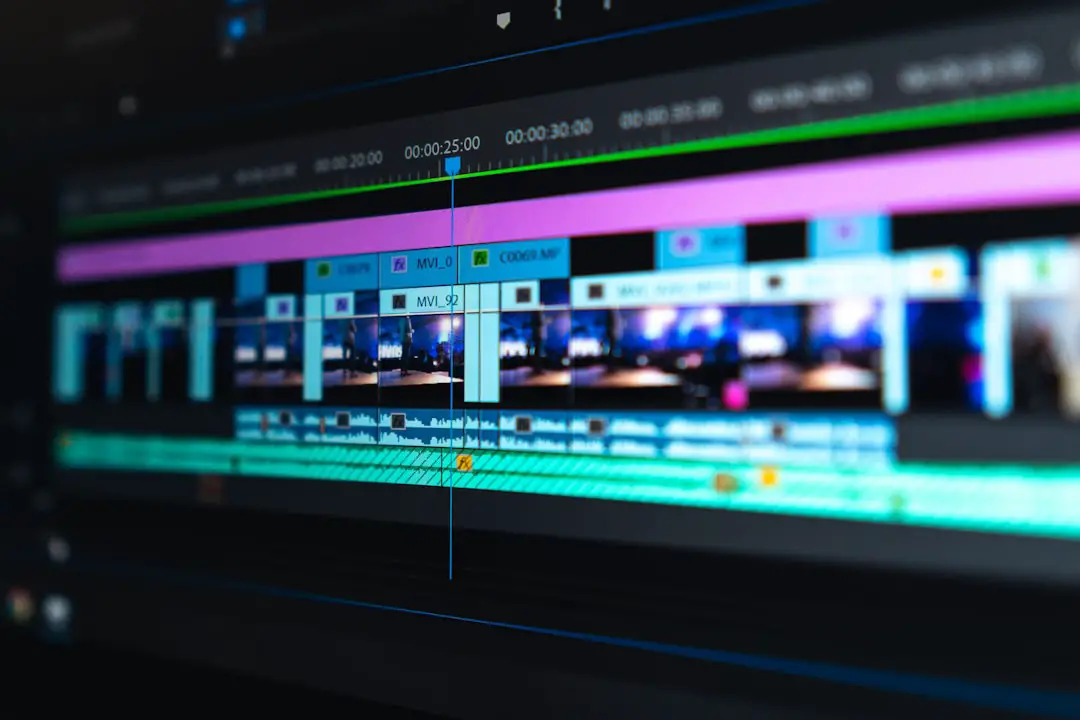

Software encoders are installed on a computer and utilize the computer’s CPU or GPU to perform compression. They are less expensive, infinitely scalable and come loaded with features such as scenes, transitions, overlays and audio mixing.
The problem? They compete for resources with everything else on the system. Any background update or processor intensive game can throttle your encoder while your show is live. And you end up with dropped frames during the most crucial moments of your stream.
Capture Cards: The Bridge Into The Computer
A capture card accepts a video signal from camera/console/switcher and converts it into something understandable to the computer. A capture card is needed, otherwise a proper camera will not be able to communicate with streaming software.
There are two main types:
- Internal cards that sit inside the computer in a PCIe slot
- External cards that connect over USB or Thunderbolt
Internal cards have lower latency since they reside on the system bus itself. External cards have the advantage of convenience which is why they are more prevalent on laptops/mobile.
When choosing a capture card, the specs that matter most are:
- Maximum supported resolution and frame rate
- Passthrough support for a monitor or second device
- Colour depth and chroma subsampling
- Driver quality and how well it plays with the encoder software
That last one is brushed under the rug all the time. A poorly performing card will result in dropped frames and random disconnects, which appear to be your ISP.
Bitrate And Bandwidth: The Numbers Behind The Picture
Bitrate refers to how much information your encoder is transmitting every second. The more information you have going through your connection, the better the quality will be but the harder it will work.
The balancing act looks like this:
- Bitrate too low and the picture turns blocky and smeared
- Bitrate too high and the stream buffers for anyone without a fast connection
- Upload capacity should comfortably exceed the target bitrate, not just match it
Viewers will be merciless. Research shows that 53% abandon a stream of poor quality in 90 seconds or less. That doesn’t leave you much time. Essentially the first ninety seconds of your stream are your audition.
A solid, slightly less aggressive bitrate almost always wins compared to a lofty one that buckles. Constant bitrate is best used for live work because it makes data flow remain predictable.
Monitoring: Catching Problems Before The Audience Does
Here’s something most small productions skip entirely…
Monitor the signal, not just the output. Observing the final stream coming from a phone tells you that something failed, but it never tells you where something failed. Proper monitoring checks the signal at various points along the chain so a fault can be found in seconds rather than deduced for an hour.
Worth monitoring at every broadcast:
- Signal levels at the input and after each passive component
- Dropped frame counts inside the encoder
- Encoder CPU or GPU load
- Audio levels, which cause more viewer loss than blurry video does
Cheap monitoring is better than no monitoring. But non-intrusive monitoring tools are the ones worth taking up space for.
Bringing The Whole Chain Together
Broadcast quality doesn’t come from one heroic piece of equipment. It comes from avoiding the weakest link in a long chain of them.
The chain that consistently works looks like this:
- Clean source video from a decent camera
- Short, well-shielded cable runs with as few adapters as possible
- Quality passive components that keep mainline insertion loss to a minimum
- A capture card matched to the resolution and frame rate being used
- An encoder with headroom to spare, not one running flat out
- A bitrate that the upload connection can support on its worst day
Audiences will accept a mediocre set, a bland overlay, even a host who’s a bit stiff. They will not accept video that pixelates or audio that drops out.
Fix the hardware issues and every challenge after becomes creative rather than technical.