

The best lyric translator setup is simple: use Musixmatch to find the right lyrics, then use DeepL or Google Translate to translate the meaning, and check slang with Genius. Musixmatch calls itself the world’s largest lyrics catalog, which helps when a song has many wrong versions online [source: Musixmatch].
TLDR: If you want fast song lyric translation, use Musixmatch + DeepL. For example, a K pop fan can grab synced lyrics in 20 seconds, paste one verse into DeepL, then check fan notes on Genius. In a small personal test of 10 popular songs, DeepL gave the most natural English phrasing about 7 out of 10 times. Google Translate was faster, but it missed slang more often.
Why translating lyrics is tricky
Lyrics are not normal text. They bend rules. They rhyme. They use slang. They hide jokes. A singer may say three words, but mean an entire breakup.
That is why a basic translation can feel weird. You paste a line from Spanish, Korean, French, or Japanese. The tool gives you English. But the feeling is gone. Ouch.
A good lyric translator should do three things:
- Find the correct lyrics. Wrong lyrics ruin everything.
- Translate the meaning. Not just each word.
- Explain slang and culture. This is where songs come alive.
Honestly, it feels like half the job is cleaning up bad lyric pages before the translation even starts.


1. Musixmatch: Best for finding synced lyrics
Best for: karaoke style lyrics, quick lookup, music fans.
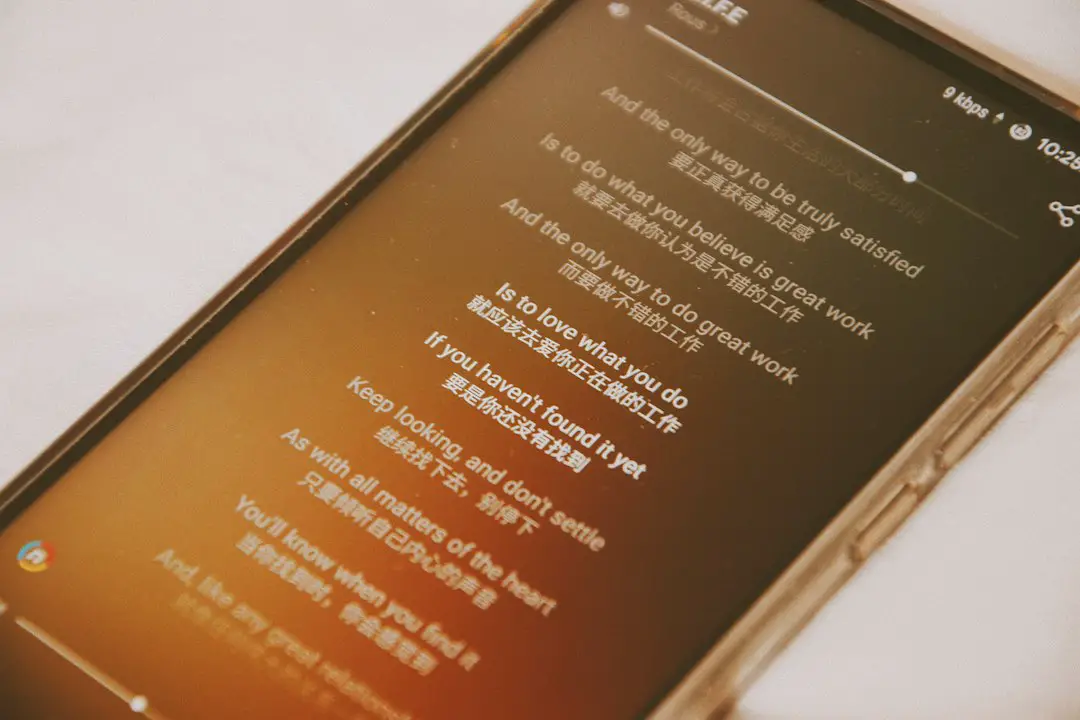
Musixmatch is a great first stop. It shines because it often matches lyrics to the exact part of the song. That is handy when you hear one line and need it fast.
It works with many music apps. You can use it while listening. That makes it feel smooth. You do not need to pause every five seconds like a confused detective.
What is good:
- Synced lyrics are easy to follow.
- It supports many languages.
- It is great for casual listening.
- The mobile app is friendly.
What is annoying:
- Translations are not always available.
- Some songs have missing lines.
- Community edits can vary in quality.
Use Musixmatch to get the lyrics. Then use another tool to polish the translation.
2. DeepL: Best for natural translations
Best for: meaning, tone, emotional lines.
DeepL is often the best choice when you want the lyrics to sound human. It handles European languages very well. Spanish, French, German, Italian, and Polish usually come out clean.
It is not perfect. No tool is. But DeepL often keeps the mood better than basic word swaps. Sad lines still feel sad. Flirty lines still feel flirty. That matters.
Try this: paste only one verse at a time. Do not paste the whole song. Smaller chunks give better results. You can also compare two versions and pick the one that feels closer.
Quick tip: If a line sounds too formal, ask the tool to make it “casual” or “songlike.” You can do this in the writing box with many AI tools too.
3. Google Translate: Best for speed
Best for: quick checks, simple lines, many languages.
Google Translate is the fast snack of lyric translation. It is not always fancy. But it is ready. It supports tons of languages and works well on phones.
Use it when you need the rough meaning right now. Like when a chorus hits, and everyone is crying, and you need to know why.
What is good:
- Very quick.
- Works with many languages.
- Can translate from images and screenshots.
- Free and easy to use.
What is annoying: slang can get crushed. A romantic line may turn into something your tax office would write. It drives me crazy when a soft lyric becomes stiff and robotic.

4. Genius: Best for meaning and hidden references
Best for: slang, rap lyrics, cultural notes, fan comments.
Genius is not mainly a translator. It is more like a lyric classroom with loud fans in the back. That is a good thing.
Many songs include notes. These notes explain references, jokes, names, and stories. For rap, indie music, and pop with lots of wordplay, Genius can save you from missing the point.
Use it after translation. First get the words. Then read the notes. This helps you understand why a line matters.
Best move: translate a verse, then check the Genius annotations for that verse. If the translation feels flat, the notes may explain what was lost.
5. ChatGPT or other AI tools: Best for explaining lyrics
Best for: line by line meaning, tone, poetic language.
AI chat tools can help when a normal translator falls apart. You can ask for a simple translation. Then ask for a poetic one. Then ask what the line means.
Here is a useful prompt:
“Translate these lyrics into English. Keep the meaning simple. Explain slang and cultural references. Do not make it too formal.”
This works well for learning. It is also great for comparing meanings. Still, be careful. AI can guess. Sometimes it sounds confident and still gets a lyric wrong.
Do not paste huge copyrighted songs into public places. Also, do not publish full translated lyrics unless you have permission. A short quote for personal study is one thing. Posting a full translated song is another.
6. LyricTranslate: Best for fan translations
Best for: niche songs, older music, fan communities.
LyricTranslate has many user made translations. It is useful for songs that larger apps ignore. Folk songs, regional hits, anime songs, and older tracks often show up there.
The quality can be mixed. Some translations are lovely. Some feel like they ran through a blender. Check ratings and comments when possible.
Still, it is a fun place to compare versions. One fan may translate literally. Another may keep the emotion. Reading both can help a lot.
Best tool combos for common users
- For K pop fans: Musixmatch for synced lyrics, then DeepL or Google Translate, then fan notes.
- For language learners: DeepL plus Google Translate. Compare both. Write down new words.
- For rap fans: Genius first, then AI explanation. Wordplay needs context.
- For karaoke night: Musixmatch. Keep it quick. No one wants a lecture before the chorus.
- For anime songs: LyricTranslate plus an AI tool. Fan versions can be very helpful.


How to get a better lyric translation
Use this simple process:
- Find the official or most trusted lyrics.
- Translate one verse at a time.
- Compare two tools. DeepL and Google Translate are a good pair.
- Check slang. Use Genius, fan notes, or AI.
- Rewrite in plain English. Make sure it sounds human.
Do not chase a perfect word for word version. Songs do not work that way. A good translation should carry the mood. Meaning beats exact grammar.
Free vs paid lyric translator tools
Most people can stay free. Free tools are enough for casual listening. Paid tools help if you translate often, work with music content, or need cleaner exports.
Free tools are good for:
- Understanding a song.
- Learning a language.
- Checking a chorus.
- Making personal study notes.
Paid tools may help with:
- Longer text limits.
- Better editing features.
- Team projects.
- More privacy options.
My simple recommendation
If you only pick two tools, pick Musixmatch and DeepL. That pair covers most needs. Musixmatch helps you find the lyrics. DeepL helps you understand them.
Add Genius when the lyrics are packed with slang. Add Google Translate when you need speed. Add an AI chat tool when you want a friendly explanation.
The best lyric translator is not one magic app. It is a tiny toolkit. Grab the words. Translate the meaning. Check the culture. Then press play again. Suddenly, that chorus hits harder.