
Website intelligence sounds fancy. But it is really just detective work for the web. You want to know who visits a site, what tech it uses, and why it wins traffic.
TLDR: Use Similarweb when you care about traffic, audience, channels, and market share. Use Wappalyzer when you care about technologies, software stacks, and lead lists. For example, a sales team with 500 target accounts could use Wappalyzer to find 120 stores running Shopify, then use Similarweb to pick the 30 with the most monthly traffic. If you need “how big is this site,” choose Similarweb; if you need “what is this site built with,” choose Wappalyzer.
The quick answer
Similarweb is like a web traffic telescope. It helps you look at a website from far away. You can see estimated visits, traffic sources, top countries, search keywords, referrals, and competitors.
Wappalyzer is like an X ray scanner. It looks under the hood. It tells you what tools a website uses. This can include CMS platforms, analytics tools, payment systems, email software, ad pixels, JavaScript frameworks, and more.
So the better tool depends on your mission. Are you spying on traffic? Or are you spotting tech?
What Similarweb does best
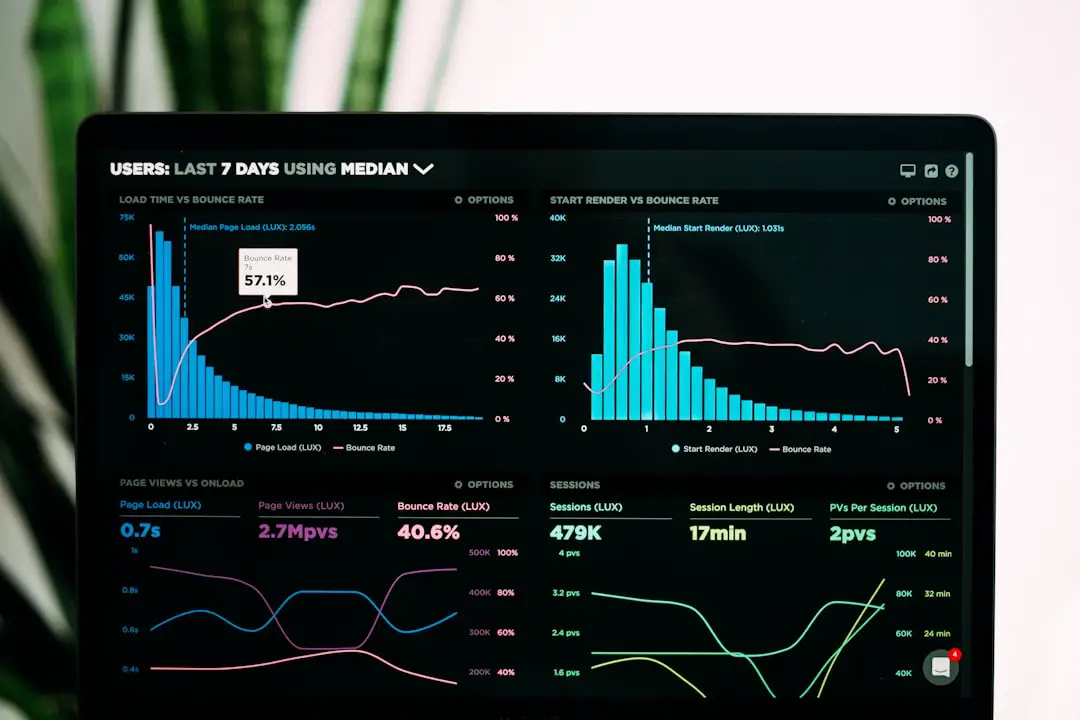
Similarweb is built for digital market analysis. It helps you understand how popular a website is and where its visitors come from.
Here are its strongest features:
- Traffic estimates: See estimated visits, visit duration, bounce rate, and pages per visit.
- Traffic channels: Break down visits from search, social, direct, referrals, email, and ads.
- Competitor research: Find other sites fighting for the same audience.
- Keyword data: See organic and paid search terms that may drive traffic.
- Audience insights: Learn about interests, geography, and overlap with other sites.
- Industry benchmarks: Compare one website against a whole market.
This is useful for marketers. It is also useful for founders, investors, content teams, and growth teams.
For example, imagine you run a fitness app. You look at a competitor in Similarweb. You see that 42% of its traffic comes from search. You also see that its blog brings many visitors. That is a clue. Maybe content is a big growth engine in your market.
What Wappalyzer does best
Wappalyzer is built for technology detection. It answers a very different question: “What software is this website using?”
Its best features include:
- Tech stack detection: Find tools like WordPress, Shopify, React, HubSpot, Stripe, or Google Analytics.
- Browser extension: Check a site while you browse. Fast and easy.
- Lead generation: Build lists of companies using certain technologies.
- Alerts: Track when a website adds or removes a tool.
- API access: Pull tech data into your own systems.
- Sales targeting: Find prospects based on what they already use.
This is gold for sales teams. It is also great for agencies, developers, cybersecurity teams, and SaaS companies.
For example, say you sell a plugin for WooCommerce stores. Wappalyzer can help you find websites that use WooCommerce. That is much better than cold emailing random companies. It is like fishing in a stocked pond.
Simple side by side comparison
| Category | Similarweb | Wappalyzer |
|---|---|---|
| Main job | Traffic and market intelligence | Technology and software detection |
| Best for | Marketing, SEO, strategy, research | Sales, lead generation, tech research |
| Shows traffic? | Yes, with estimates | Not its main focus |
| Shows tech stack? | Limited | Yes, very well |
| Great for competitors? | Yes | Yes, but for tech clues |
Accuracy: who wins?
This is where things get spicy.
Similarweb uses estimates. It pulls data from many sources and models the rest. So it is not perfect. Traffic numbers can be wrong, especially for small websites. But it is often useful for spotting trends. If one competitor gets about 2 million visits and another gets about 80,000, that gap still tells a story.
Wappalyzer detects signals on websites. It looks for scripts, headers, cookies, HTML patterns, and other clues. It can be very accurate when the technology leaves clear fingerprints. But it can miss tools that are hidden, custom built, or loaded in tricky ways.
So accuracy depends on the question. For traffic direction, Similarweb is stronger. For tech stack clues, Wappalyzer is stronger.
Ease of use
Both tools are friendly. But they feel different.
Similarweb has dashboards. Lots of charts. Lots of filters. It can feel like a control room for internet traffic. That is powerful, but it may take time to learn.
Wappalyzer feels quicker. Install the browser extension. Visit a site. Click the icon. Boom. You see the tech stack. It is simple and satisfying.
If you want quick answers, Wappalyzer feels lighter. If you want deep research, Similarweb feels richer.
Best use cases for Similarweb
Pick Similarweb if you want to:
- Compare your traffic with competitors.
- Find which marketing channels work in your niche.
- Research a market before launching a product.
- Discover referral partners and affiliate opportunities.
- Analyze SEO and paid search strategy.
- Prepare investor or business reports.
It is especially handy when you need the big picture. Think of it as a map. It shows where attention flows online.
Best use cases for Wappalyzer
Pick Wappalyzer if you want to:
- Find websites using a specific CMS or ecommerce platform.
- Build B2B lead lists based on software usage.
- Check what tools competitors use.
- Spot prospects that may need your service.
- Monitor when companies change their tech stack.
- Research web technologies across an industry.
It is perfect when software choice matters. If your dream customer uses Salesforce, Shopify, WordPress, or Magento, Wappalyzer can help you find them.
Image not found in postmetaPricing and value
Both tools offer different plans. Pricing can change, so always check the current pages before buying.
In general, Similarweb can be more expensive for advanced market data. That makes sense. It is often used by larger marketing and research teams.
Wappalyzer is often more direct for lead generation. If one closed deal is worth thousands of dollars, a targeted tech list can pay for itself fast.
The real question is not “Which is cheaper?” The real question is “Which one saves more time or makes more money?”
Can you use both?
Yes. And this is where the magic happens.
Use Wappalyzer first to find companies with the right technology. Then use Similarweb to rank them by traffic and market potential.
Here is a simple workflow:
- Use Wappalyzer to find 1,000 websites using a target platform.
- Filter the list by country or industry.
- Use Similarweb to check traffic strength.
- Pick the top 100 accounts.
- Send better outreach with real context.
Now your sales team is not guessing. They are hunting with a flashlight.
Final verdict
Similarweb is better for website traffic intelligence. It helps you understand size, audience, channels, and competition. It is the better choice for marketers, strategists, and analysts.
Wappalyzer is better for website technology intelligence. It helps you identify software stacks and build smarter lead lists. It is the better choice for sales teams, SaaS companies, and developers.
So, which tool is better? The honest answer is: neither wins every round. They play different sports.
If websites were cars, Similarweb would tell you how many people watch the race. Wappalyzer would pop the hood and show you the engine.
Choose Similarweb for the crowd. Choose Wappalyzer for the engine. Use both if you want the trophy.