

Modern organizations rely on an ever-growing number of digital tools, cloud applications, and internal systems. While these technologies improve productivity, they also create a complex web of usernames and passwords that users must manage daily. SSO integration software has emerged as a critical solution for simplifying access, strengthening security, and improving the user experience across business environments of all sizes.
TLDR: Single Sign-On (SSO) integration software enables users to access multiple applications with one set of login credentials, improving convenience and security. It reduces password fatigue, lowers IT support costs, and centralizes authentication management. By integrating seamlessly with cloud and on-premise systems, SSO streamlines operations while enhancing compliance and user satisfaction. Organizations adopting SSO benefit from both improved productivity and stronger security controls.
As digital ecosystems expand, companies are recognizing that fragmented authentication systems are both inefficient and risky. Employees juggling multiple logins often reuse passwords or rely on insecure storage methods, creating vulnerabilities. SSO integration software addresses these issues by providing centralized authentication, ensuring users log in once and gain secure access to authorized resources.
What Is SSO Integration Software?
Single Sign-On (SSO) integration software is a solution that allows users to authenticate once and gain access to multiple independent systems without needing to log in again. Instead of managing separate credentials for each application, users rely on a trusted identity provider that verifies their identity and grants access across platforms.
This method works through standardized authentication protocols such as:
- SAML (Security Assertion Markup Language)
- OAuth
- OpenID Connect
- LDAP (Lightweight Directory Access Protocol)
These protocols ensure secure sharing of authentication data between systems without exposing sensitive login information.


Why Businesses Need SSO Integration
Organizations today typically use dozens—or even hundreds—of applications. From customer relationship management and accounting tools to communication platforms and project management systems, the digital workspace is diverse and interconnected.
Without SSO integration software, users face several challenges:
- Password fatigue from managing multiple credentials
- Frequent password reset requests
- Increased risk of phishing and credential theft
- Administrative overhead in user provisioning and deprovisioning
SSO directly addresses these problems by simplifying access and centralizing identity management. IT departments benefit from consolidated control, while users enjoy a smoother login experience.
Key Benefits of SSO Integration Software
1. Enhanced User Experience
One of the most noticeable advantages of SSO is convenience. Employees log in once at the start of the day and seamlessly move between applications without interruption. This frictionless experience reduces frustration and saves time.
For customers, SSO can simplify access to online services, e-commerce platforms, and support portals, leading to higher satisfaction and engagement.
2. Improved Security
Although it may seem counterintuitive, using a single login can actually improve security when implemented correctly. SSO integration software often incorporates:
- Multi-factor authentication (MFA)
- Adaptive access controls
- Behavior-based authentication
- Centralized monitoring and auditing
By reducing the number of passwords users must remember, SSO lowers the risk of weak password practices. Centralized authentication also allows security teams to detect suspicious activity faster.
3. Reduced IT Costs
Password resets are among the most common IT helpdesk requests. SSO significantly reduces these tickets, freeing IT teams to focus on strategic initiatives rather than repetitive support tasks.
In addition, automated provisioning and deprovisioning make onboarding and offboarding employees more efficient and secure.
4. Streamlined Compliance and Auditing
Many industries face strict regulatory requirements regarding data protection and access control. SSO integration software provides centralized logging and reporting features that help organizations:
- Track user access activity
- Enforce role-based access controls
- Demonstrate compliance during audits
This level of visibility simplifies adherence to standards such as GDPR, HIPAA, and SOC 2.
How SSO Integration Works
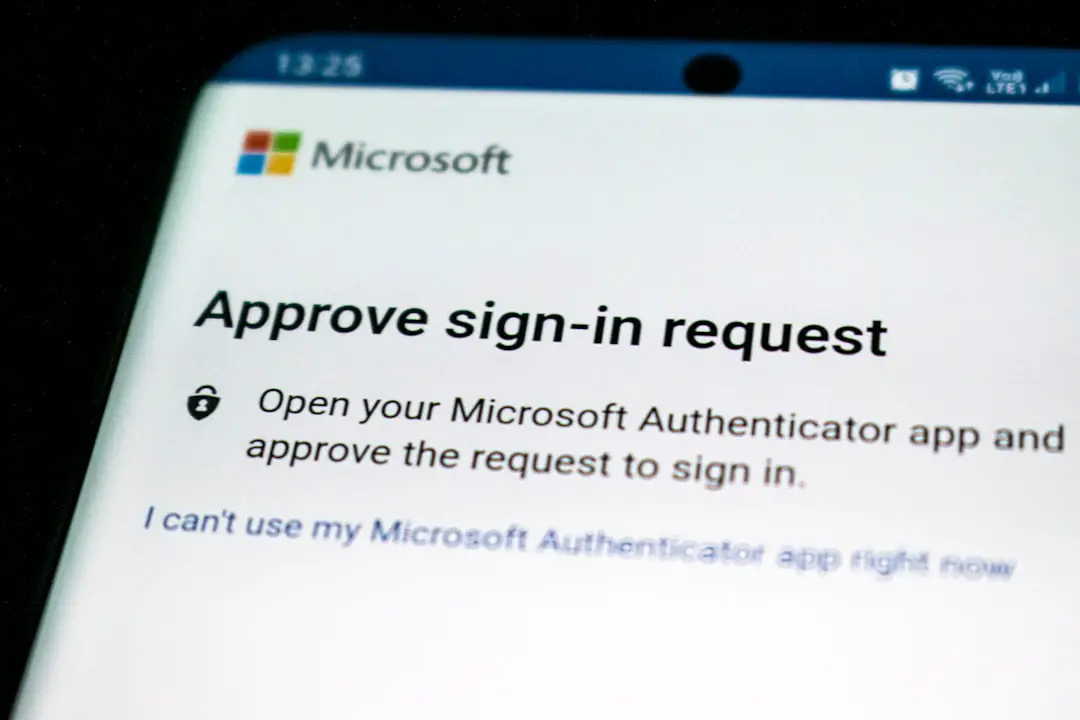
The functionality of SSO revolves around trust relationships between identity providers (IdPs) and service providers (SPs). When a user logs in, the identity provider authenticates their credentials. Once verified, it generates an authentication token that grants access to connected applications.
The process typically follows these steps:
- User logs into the identity provider.
- Identity provider validates credentials.
- An authentication token is created.
- User accesses connected applications without re-entering credentials.
This seamless exchange occurs in seconds, often unnoticed by the user.

Cloud vs. On-Premise SSO Solutions
Organizations can choose between cloud-based and on-premise SSO integration software, depending on their infrastructure and security needs.
Cloud-Based SSO
- Hosted by external providers
- Scalable and easy to deploy
- Ideal for remote and hybrid workforces
- Automatic updates and maintenance
On-Premise SSO
- Managed within internal servers
- Greater control over customization
- Suitable for organizations with strict data residency requirements
Many businesses adopt hybrid models that integrate both cloud and on-premise systems for maximum flexibility.
SSO and Zero Trust Security
As cybersecurity threats evolve, organizations are embracing the Zero Trust model, which assumes no user or device should be trusted by default. SSO integration software supports this approach by incorporating continuous authentication checks and contextual access policies.
Rather than granting blanket access after login, advanced SSO systems evaluate variables such as:
- User location
- Device security posture
- Login behavior patterns
- Time of access
If anomalies are detected, additional verification steps can be triggered automatically.
Challenges and Considerations
While SSO provides numerous advantages, implementation requires careful planning. A poorly configured system can create a single point of failure. If the SSO provider experiences downtime, access to all connected applications may be affected.
To mitigate risks, organizations should:
- Implement redundancy and failover systems
- Enable multi-factor authentication
- Conduct regular security audits
- Choose solutions with high uptime guarantees
Proper configuration and monitoring are essential for maximizing benefits while minimizing vulnerabilities.
SSO for Different Industries
SSO integration software is adaptable across diverse sectors:
- Healthcare: Secure access to electronic health records while maintaining HIPAA compliance.
- Finance: Protect sensitive financial data with layered authentication.
- Education: Provide students and faculty access to learning platforms and administrative tools.
- Retail: Simplify employee and customer logins across e-commerce and internal systems.

Each industry benefits from streamlined access combined with strong identity verification mechanisms.
Future Trends in SSO Integration Software
The future of SSO is closely tied to advancements in identity and access management. Emerging developments include:
- Passwordless authentication using biometrics or hardware tokens
- AI-driven threat detection
- Decentralized identity frameworks
- Greater integration with mobile and IoT devices
As organizations continue their digital transformation journeys, SSO will remain a foundational component of secure and efficient user access strategies.
Conclusion
SSO integration software plays a vital role in simplifying user access while strengthening organizational security. By centralizing authentication processes, reducing password fatigue, and enhancing visibility into user activity, it creates a balanced approach to convenience and protection. Whether deployed in cloud, on-premise, or hybrid environments, SSO empowers businesses to manage complex digital ecosystems with greater efficiency.
As cybersecurity threats grow more sophisticated and digital infrastructures expand, investing in robust SSO integration is no longer optional—it is a strategic necessity for modern enterprises.
Frequently Asked Questions (FAQ)
1. Is SSO secure?
Yes, when properly implemented with multi-factor authentication and strong security policies, SSO can be more secure than managing multiple separate passwords. Centralized monitoring also enhances threat detection.
2. Does SSO eliminate the need for passwords?
Not necessarily. Traditional SSO uses a single password, but many solutions now support passwordless options such as biometrics or hardware tokens.
3. What happens if the SSO system goes down?
If the SSO provider experiences downtime, access to connected applications may be impacted. High-quality solutions include redundancy and failover features to minimize disruption.
4. Can SSO integrate with legacy systems?
Many modern SSO platforms support legacy applications through custom connectors, LDAP integration, or federation protocols.
5. Is SSO suitable for small businesses?
Yes. Cloud-based SSO solutions are scalable and cost-effective, making them accessible to small and medium-sized businesses seeking improved security and simplified access management.
6. How is SSO different from identity management?
SSO is a component of identity and access management (IAM). While IAM covers broader user lifecycle management and policy enforcement, SSO specifically focuses on streamlined authentication across multiple systems.