

Business cards remain a practical trust signal, even in a digital-first market. A well-designed card can reinforce credibility in meetings, conferences, sales visits, and local networking. Today, AI business card design tools make it possible to create polished, print-ready cards faster than traditional design workflows, while still giving teams control over brand consistency, typography, layout, and messaging.
TLDR: AI business card tools help entrepreneurs, agencies, consultants, and sales teams produce professional designs in minutes instead of days. For example, a small real estate agency with 12 agents could use an AI template system to create consistent cards for the entire team in under an hour, rather than commissioning each variation separately. The best tools combine AI layout suggestions, brand asset management, print-ready exports, and easy customization. Choose based on whether you need speed, premium design control, team collaboration, or direct printing.
Why AI Business Card Design Tools Matter
A business card has limited space, which makes design discipline essential. The card must communicate a name, role, company, contact details, and brand personality without feeling crowded. AI tools are useful because they can quickly generate balanced layouts, recommend font pairings, suggest color combinations, and adapt designs to different industries.
For many businesses, the value is not only creative output but also operational efficiency. Instead of starting from a blank canvas, users can answer a few prompts, upload a logo, select a preferred style, and receive multiple design directions. This speeds up decision-making and reduces the risk of amateur-looking results.

What to Look for in an AI Business Card Tool
Before choosing a platform, evaluate it against practical business requirements. A serious tool should do more than generate attractive previews; it should help produce cards that are usable in real-world professional settings.
- Print-ready export options: Look for PDF, PNG, SVG, bleed settings, and high-resolution files.
- Brand consistency: The ability to upload logos, define colors, and save reusable brand kits is important.
- AI-assisted layout generation: Strong tools offer multiple layout variations based on industry, tone, and card format.
- Customization depth: You should be able to adjust typography, spacing, icons, QR codes, and contact fields.
- Team features: Larger businesses benefit from shared templates, permission controls, and bulk editing.
- Printing support: Some platforms let users send designs directly to print, reducing production friction.
1. Canva
Canva is one of the most accessible options for AI-assisted business card creation. It provides a large library of templates, intuitive drag-and-drop editing, and AI features that help with copy, layout ideas, and visual adjustments. For small businesses and independent professionals, its main advantage is speed: users can create a polished design without advanced design knowledge.
Canva is especially useful when a business needs related marketing materials, such as social media graphics, presentations, flyers, or email headers. The brand kit feature helps maintain visual consistency across all assets. However, users should still review print settings carefully, especially margins, bleed, and file format, before ordering cards.
2. Adobe Express
Adobe Express is a strong choice for users who want simple AI-assisted design while staying close to the Adobe ecosystem. It offers professional templates, generative AI features, quick resizing, and integrated access to Adobe Stock assets. The interface is designed for non-specialists, but the results can look refined when users take time to apply brand standards correctly.
This tool is particularly suitable for consultants, creative professionals, and businesses that already use Adobe products. While it is easier than full Adobe design software, it still benefits from Adobe’s emphasis on typography, image quality, and visual polish.
3. VistaCreate
VistaCreate is well suited for small businesses that need attractive business card layouts quickly. It provides ready-made templates, design elements, and straightforward editing tools. Its AI capabilities can support faster content creation and visual adaptation, while its template library covers many common industries, including beauty, food service, coaching, retail, and personal branding.
A key benefit is convenience. Users can start from a template and modify names, colors, icons, and branding details with minimal effort. For teams seeking highly distinctive visual identities, however, extra customization may be necessary to avoid a generic template look.
4. Looka
Looka is often used by startups and entrepreneurs who need both a logo and supporting brand materials. Its AI-driven branding workflow can generate logo concepts and then apply them to business card layouts. This makes it practical for new companies that do not yet have a complete identity system.
The main strength of Looka is brand continuity. Instead of designing a card in isolation, users can develop a broader visual identity and then apply it across stationery and marketing assets. It is a practical option for founders who want a cohesive starting point before investing in a full brand design process.
5. Fotor
Fotor offers AI-powered design and image editing features that can support business card creation, particularly for users who need quick visual enhancement. It provides templates, background tools, and easy adjustments for color and composition. Professionals who rely on personal photos, product images, or strong visual elements may find its editing tools useful.
Fotor is a sensible option for freelancers, photographers, stylists, coaches, and creators who want image-forward business cards. As with any template-based platform, the best results come from simplifying the design and ensuring the contact information remains easy to read.
6. Microsoft Designer
Microsoft Designer uses AI to generate visual concepts from prompts and can be useful for business card inspiration, especially for users already working within Microsoft’s productivity environment. It is not always the most specialized print-design tool, but it can help create graphic directions, backgrounds, and branded concepts that may later be refined for production.
This option is valuable for teams that want to experiment with campaign visuals, professional styles, or concept variations before finalizing a print-ready card in another platform. It is best viewed as a creative ideation tool as well as a practical design assistant.
7. Zazzle
Zazzle combines design customization with printing and product fulfillment. While it is not purely an AI design tool in the same sense as some platforms, it offers a broad marketplace of customizable business card templates and convenient print ordering. For users who prioritize physical production over detailed design control, it can be highly practical.
The advantage is simplicity: select a design, personalize it, and order printed cards. Businesses should compare paper options, finishes, and shipping timelines before committing, especially if cards are needed for a specific event.
8. Vistaprint
Vistaprint remains a widely used option for designing and printing business cards, particularly for small businesses. It provides guided customization, industry-based templates, and direct access to print products. Its AI-related capabilities and smart design assistance can help users move from concept to production with fewer steps.
Vistaprint is appropriate when printing reliability, paper selection, and convenience are priorities. The platform is especially useful for local businesses that need cards, signage, stickers, and promotional materials from a single provider.
How to Get Better Results from AI Card Designers
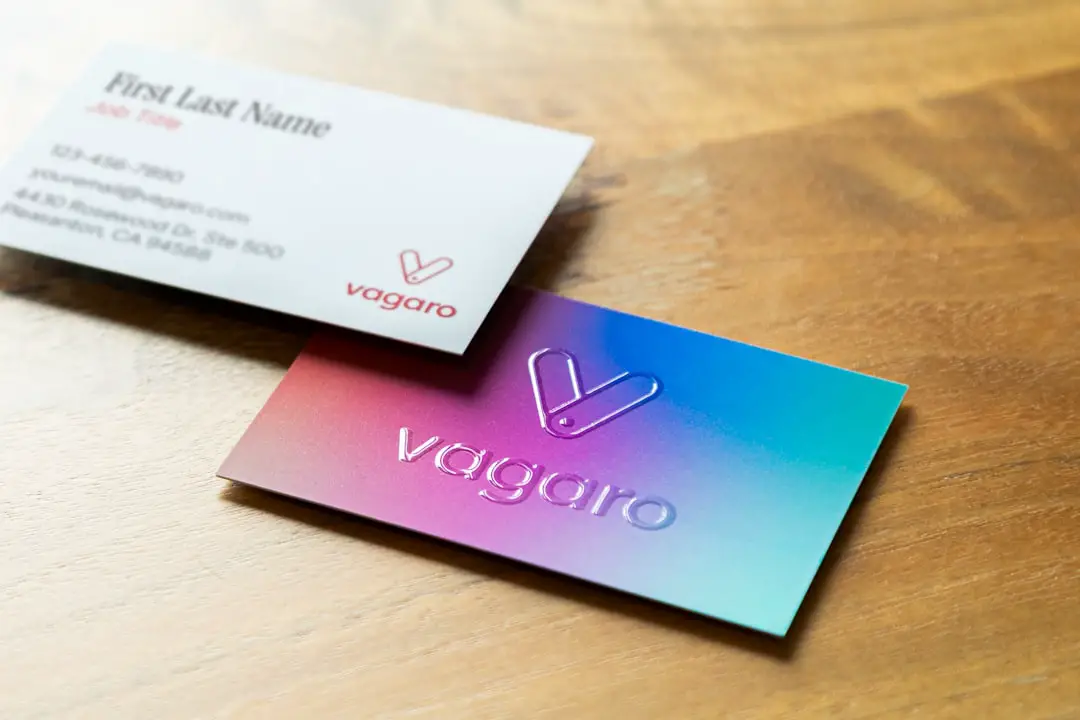
AI can accelerate design, but it should not replace careful judgment. Business cards are small, so clarity matters more than decoration. A strong design usually has one visual focal point, readable typography, and enough white space.
- Prepare your brand assets first: Use a high-resolution logo, official brand colors, and accurate contact details.
- Limit font choices: Two fonts are usually enough for a professional business card.
- Use QR codes carefully: Link to a portfolio, booking page, or digital profile, but keep the code large enough to scan.
- Check print specifications: Confirm size, bleed, safe area, and color mode before ordering.
- Test readability: Print a sample at actual size or view it on screen at 100% scale.
Choosing the Right Tool for Your Situation
The best AI business card design tool depends on your priorities. If you want quick, flexible design with many templates, Canva and Adobe Express are strong choices. If you are building a new brand identity from scratch, Looka may be more appropriate. If image editing is central to your card’s appearance, Fotor is worth considering. If printing convenience is most important, Vistaprint or Zazzle may be the practical route.
For businesses with multiple employees, the decision should also include workflow considerations. A platform that supports saved templates and shared brand assets can prevent inconsistent designs across departments. This is particularly important for sales teams, franchises, agencies, and professional service firms.
Final Thoughts
AI business card design tools are not just shortcuts; they are productivity systems for creating consistent, professional, and print-ready identity materials. The best platforms reduce repetitive work while still allowing users to make thoughtful design decisions. A serious business card should be clear, brand-aligned, and easy to act on.
Used well, AI can help companies move from an idea to a finished card quickly, without sacrificing credibility. The strongest results come from combining AI-generated options with human review: choose a clean layout, verify every detail, respect print requirements, and ensure the final card represents the business with confidence.