
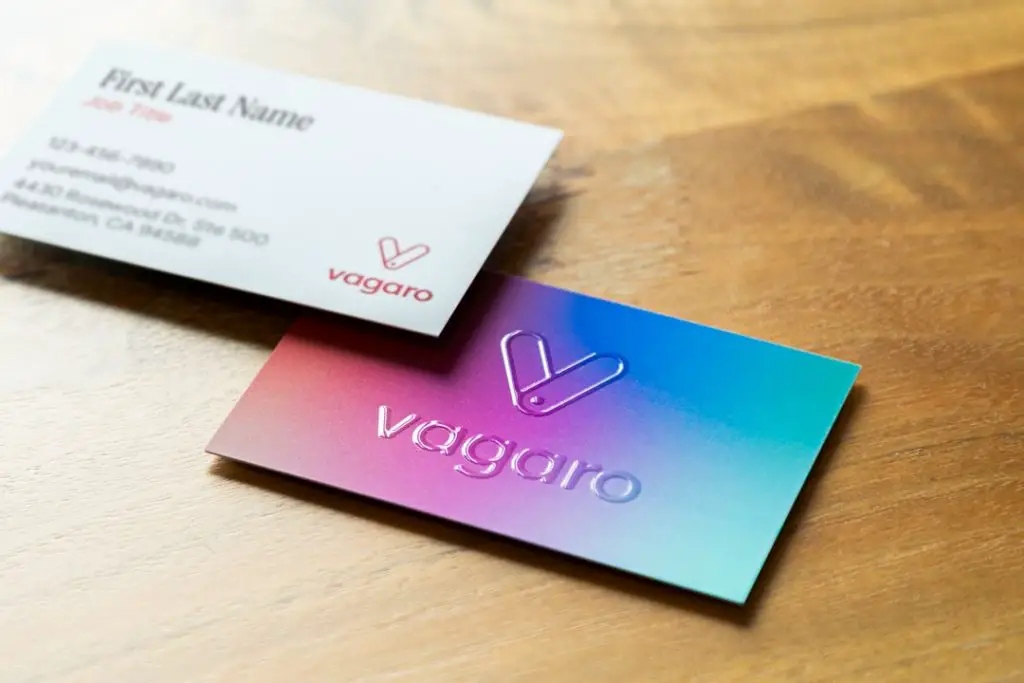
Business cards may look small, but they still carry a surprising amount of professional weight. Whether you are a freelancer, startup founder, consultant, designer, real estate agent, or local service provider, a polished card can make your first impression feel more intentional. The good news is that you no longer need to hire a designer or learn complex software to create one; online business card generators now make the process fast, affordable, and often genuinely enjoyable.
TLDR: The best online business card generator depends on whether you care most about design flexibility, print quality, speed, or price. Canva and Adobe Express are excellent for DIY design control, while Moo and Vistaprint stand out for printing and delivery options. If you want quick templates, easy customization, and professional results, Canva is the best all-around choice, but Moo is the strongest option for premium printed cards.
What Makes a Great Online Business Card Generator?
A good business card generator should do more than let you place your name on a rectangle. The best platforms combine attractive templates, intuitive editing tools, brand customization, export options, and reliable printing. Some are aimed at people who want a card in ten minutes, while others are better for users who want to fine-tune every color, font, icon, and layout.
When reviewing the top tools, the most important factors are:
- Ease of use: Can a beginner create a good card without frustration?
- Template quality: Are the designs modern, clean, and industry appropriate?
- Customization: Can you edit fonts, colors, icons, logos, spacing, and card size?
- Printing options: Are there premium paper stocks, finishes, and shipping choices?
- Export formats: Can you download print-ready PDF, PNG, or JPG files?
- Value: Does the tool justify its cost, especially for small businesses?

1. Design.com: Best for AI-Generated Business Cards
Design.com earns its place as a top digital business card maker by making AI the starting point for every design. Simply enter your business name or a keyword, and the platform generates a fully branded, print-ready business card aligned with your industry and style.
Backing up the AI engine is a library of 20,000+ professionally designed templates, with thousands of layouts spanning industries from tech to beauty to law. Because professional designers create every template, even the AI-generated starting point already looks polished rather than generic, giving you a strong foundation to refine further.
Best for: Business owners, startups, and non-designers who want a professional, on-brand card generated instantly, without needing design skills.
Pros:
- AI instantly generates a branded design from just a business name or keyword
- 20,000+ professionally designed templates across nearly every industry
- Designs created by professional designers, not generic stock layouts
- Intelligent matching of colors, fonts, and styles for consistent branding
Cons:
- Limited advanced manual controls
- Web-based platform only
- Fewer developer-focused integrations.
Verdict: Design.com is the best pick if you want a professional-looking business card fast, powered by AI and backed by real design expertise.
TL;DR: The best online business card generator depends on whether you care most about design flexibility, print quality, speed, or price. Design.com is the best choice for AI-generated business cards, while Canva and Adobe Express are excellent for DIY design control, and Moo and Vistaprint stand out for printing and delivery options. If you want quick templates, easy customization, and professional results, Design.com and Canva are the best all-around choices, while Moo is the strongest option for premium printed cards.
2. Canva: Best Overall Business Card Generator
Canva is one of the most popular online design platforms, and its business card maker is a strong choice for nearly every type of user. Its biggest advantage is balance: it is simple enough for beginners but flexible enough for people who want a more customized look.
Canva offers thousands of business card templates across industries, including technology, beauty, coaching, law, photography, retail, and events. You can replace images, upload your logo, adjust brand colors, add QR codes, and experiment with font pairings. The drag-and-drop editor is smooth and forgiving, which makes the design process feel quick rather than technical.
Best for: Freelancers, small businesses, creators, and anyone who wants attractive cards without hiring a designer.
Pros:
- Huge template library with modern designs
- Very beginner-friendly editor
- Free plan is useful and generous
- Good download options for digital or local printing
- Brand kit features for consistent business visuals
Cons:
- Some of the best templates and assets require a paid plan
- Print quality is good, but not always as premium as specialist printers
- Popular templates can feel familiar unless customized carefully
Verdict: Canva is the most versatile option and the easiest recommendation for most users. It is ideal if you want control, speed, and a broad range of styles.
3. Moo: Best for Premium Print Quality
Moo is a favorite among design-conscious professionals because it focuses heavily on quality printing. While it does offer online templates and customization tools, its real appeal lies in the physical product: thick paper, luxury finishes, rounded corners, square cards, and eye-catching effects such as foil or raised gloss.
One of Moo’s standout features is the ability to print different designs on the backs of cards within the same pack. This is useful for photographers showing portfolio samples, artists displaying different works, or businesses promoting multiple products. The templates are elegant and minimal, though not as numerous or flexible as Canva’s.
Best for: Creatives, consultants, premium brands, photographers, and professionals who want a card that feels expensive.
Pros:
- Excellent paper and finish options
- Professional, high-end look and feel
- Unique multiple-back design feature
- Great for luxury or creative branding
Cons:
- More expensive than many competitors
- Design editor is less flexible than dedicated design tools
- Not the fastest option if you need ultra-budget cards quickly
Verdict: Moo is the best choice when the tactile impression of your card matters. If you regularly attend networking events, conferences, or client meetings, the extra cost may be worth it.
4. Vistaprint: Best for Affordable Printing and Business Essentials
Vistaprint has long been associated with small business printing, and its online business card generator remains a reliable option. It offers many templates, straightforward customization, and frequent discounts. The platform is especially useful if you need more than just cards, such as flyers, signs, stickers, labels, or branded merchandise.
The editor is easy to use, though not as stylish or fluid as Canva. Template quality varies: some designs look modern and professional, while others feel a little generic. However, the platform’s pricing, print packages, and practical options make it a strong choice for businesses ordering in bulk.
Best for: Budget-conscious small businesses, local service providers, and users who want cards plus other printed marketing materials.
Pros:
- Affordable, especially during promotions
- Wide range of print products beyond business cards
- Good selection of paper stocks and finishes
- Simple ordering process
Cons:
- Template designs can be inconsistent
- Editor is functional but not very creative
- Premium finishes increase the final price quickly
Verdict: Vistaprint is practical, economical, and dependable. It is not always the most stylish platform, but it is one of the best for getting professional cards printed at scale.


5. Adobe Express: Best for Polished Digital Design
Adobe Express brings Adobe’s design DNA into a simpler, browser-based tool. It is much easier to use than professional Adobe software, but it still benefits from strong typography, quality templates, and a clean interface. For users who care about visual polish, it is one of the strongest online business card generators available.
Adobe Express works especially well if you already use Adobe tools or want to create matching social media graphics, flyers, posters, and digital assets. Its template library is stylish, and the editing tools are simple enough for non-designers. You can upload a logo, apply brand colors, and export designs for printing elsewhere.
Best for: Users who want sleek designs and may already be familiar with Adobe’s ecosystem.
Pros:
- Modern, professional templates
- Good typography and layout tools
- Strong for creating matching digital brand assets
- Cleaner and easier than advanced Adobe applications
Cons:
- Some features require a paid subscription
- Printing is not the main strength of the platform
- Template selection is smaller than Canva’s
Verdict: Adobe Express is a great choice if you want refined design and plan to handle printing separately. It is best for users who value aesthetics and brand consistency.
6. VistaCreate: Best for Social Media Friendly Branding
VistaCreate is similar in spirit to Canva, with a focus on easy templates and quick customization. Its business card generator is approachable and visually appealing, especially for small businesses that also need social media graphics, ads, and promotional content.
The platform offers attractive templates and enough flexibility for most users. You can edit colors, fonts, graphics, icons, and background elements. It is particularly useful if your business identity needs to look consistent both online and offline. For example, you can create a business card, Instagram post, flyer, and banner using similar design elements.
Best for: Entrepreneurs, online sellers, coaches, and social media driven brands.
Pros:
- Good template selection
- Easy editing experience
- Useful for both print and digital marketing designs
- Strong visual style for modern small brands
Cons:
- Not as extensive as Canva overall
- Some premium assets require a paid plan
- Print ordering may not be as central as with dedicated printers
Verdict: VistaCreate is a strong alternative to Canva, especially for users who want a simple tool for creating business cards and social media visuals in one place.
7. Zazzle: Best for Creative and Niche Templates
Zazzle is a marketplace-style platform with an enormous range of designs created by independent artists and sellers. Its business card section includes everything from conservative corporate layouts to colorful, artistic, humorous, and highly niche templates.
This makes Zazzle especially interesting if you work in a field where personality matters. Tattoo artists, pet groomers, bakers, yoga instructors, musicians, and handmade product sellers may find designs that feel more distinctive than standard corporate templates. Customization is available, but the experience depends on the specific template.
Best for: Creative professionals, niche businesses, and users looking for unusual styles.
Pros:
- Huge variety of unique designs
- Great for personality-driven businesses
- Marketplace includes many artistic styles
- Convenient print ordering
Cons:
- Quality and style vary by designer
- Editing tools are less consistent
- Can take time to sort through so many options
Verdict: Zazzle is best when you want something less conventional. It is not the most streamlined generator, but it offers plenty of creative possibilities.
8. Shopify Free Business Card Maker: Best for a Fast, Simple Card
Shopify’s free business card maker is not as design-rich as Canva, Moo, or Adobe Express, but it is useful for speed. It is designed for people who need a basic business card layout quickly, especially entrepreneurs and online store owners.
You enter your business details, choose a simple layout, and generate a card without dealing with many design decisions. This simplicity is both its strength and its limitation. If you want a distinctive card, you may outgrow it quickly. If you want something clean and functional, it gets the job done.
Best for: New entrepreneurs who need a basic card fast.
Pros:
- Very quick to use
- Free and beginner-friendly
- No design experience required
- Good for temporary or simple cards
Cons:
- Limited design flexibility
- Basic templates
- Not ideal for premium branding
Verdict: Shopify’s tool is convenient for a quick start, but most businesses will eventually want a more customizable platform.
Quick Comparison: Which Tool Should You Choose?
| Platform | Best Strength | Ideal User |
|---|---|---|
| Canva | Best all-around design flexibility | Freelancers and small businesses |
| Moo | Premium print quality | Creatives and luxury brands |
| Vistaprint | Affordable bulk printing | Local businesses and service providers |
| Adobe Express | Polished visual design | Brand-conscious professionals |
| VistaCreate | Print and social media branding | Online entrepreneurs |
| Zazzle | Creative niche templates | Artists and personality-led brands |
| Shopify | Speed and simplicity | New business owners |

Tips for Creating a Better Business Card Online
Even the best generator cannot fully rescue a cluttered design. A strong business card should be readable, memorable, and aligned with your brand. Before you order 500 copies, take time to refine the essentials.
- Keep it simple: Include your name, role, company, website, email, phone number, and perhaps one social handle or QR code.
- Use readable fonts: Stylish typography is great, but tiny decorative text can become hard to read in print.
- Respect white space: Empty space makes your card look more premium and less chaotic.
- Match your brand: Use the same colors, logo, and tone that appear on your website and social profiles.
- Check print settings: Pay attention to bleed, trim, resolution, and file format before ordering.
- Order a sample if possible: Paper weight and finish can look very different in person than on screen.
Final Verdict
The best online business card generator depends on what you value most. If you want the strongest combination of design freedom, ease of use, and affordability, Canva is the top all-around pick. If you want cards that feel luxurious and memorable in the hand, Moo is the premium winner. For practical, affordable printing, Vistaprint remains one of the most dependable choices.
Meanwhile, Adobe Express is ideal for polished visuals, VistaCreate is excellent for social-first businesses, Zazzle is perfect for creative niches, and Shopify’s maker is useful when you need a simple card in a hurry. Ultimately, a great business card is not just about the tool; it is about choosing a design that communicates who you are before you even say a word.