

Books have changed a lot over the years. We moved from paper pages to glowing screens. One of the most popular reading devices today is the Kindle Paperwhite. It is small. It is light. And it can hold thousands of books in your hand. If you love reading, or want to read more, this little device might become your best friend.
TLDR: The Kindle Paperwhite is a lightweight e-reader made by Amazon that lets you read digital books on a screen that looks like real paper. It has a glare-free display, long battery life, and adjustable light for day or night reading. You can buy books directly from Amazon and carry thousands at once. It is simple to use, even if you are not tech-savvy.
What Is Kindle Paperwhite?
The Kindle Paperwhite is an electronic reading device, also called an e-reader. It is designed mainly for reading books. Unlike a tablet, it is not made for games, social media, or constant notifications. It is made for one thing: reading.
It uses special screen technology called E Ink. This makes the screen look like real paper. It does not shine bright like a phone screen. It does not hurt your eyes as much. You can read for hours without feeling tired.
Main Features
- Glare-free screen – Read in bright sunlight.
- Adjustable light – Read in the dark without a lamp.
- Waterproof design – Safe near pools or in the bath.
- Long battery life – Lasts for weeks, not hours.
- Lightweight body – Easy to hold with one hand.
It is simple. It is focused. It feels like a book. But smarter.
Why People Love Kindle Paperwhite
Many readers choose Kindle Paperwhite over tablets or physical books. Why? Because it mixes the best of both worlds.
1. It Feels Like Paper
The E Ink display does not flicker. It does not blast blue light like a phone. The text looks like ink printed on a page. You can even change font size and style. That means no more tiny print.
2. It Holds Thousands of Books
Imagine carrying a whole library in your bag. The Kindle Paperwhite can store thousands of books. Going on vacation? Bring one device instead of five novels.
3. It Saves Space
No more crowded shelves. No more heavy stacks. Everything stays in one slim device.
4. It Is Great for Travel
It is light. It is thin. The battery lasts up to several weeks on a single charge. You do not need to pack a charger for a weekend trip.
How to Set Up Kindle Paperwhite
Getting started is easy. You do not need technical skills.
Step 1: Turn It On
Press the power button at the bottom. The screen will light up. Follow the on-screen instructions.
Step 2: Connect to Wi-Fi
Select your Wi-Fi network. Enter your password. Once connected, you can download books instantly.
Step 3: Sign In to Amazon
Log in with your Amazon account. If you do not have one, you can create it in minutes. This account gives you access to the Kindle Store.
Step 4: Start Browsing Books
Tap the store icon. Search for a book by title or author. Tap “Buy” or “Download.” The book will appear in your library within seconds.
How to Use Kindle Paperwhite
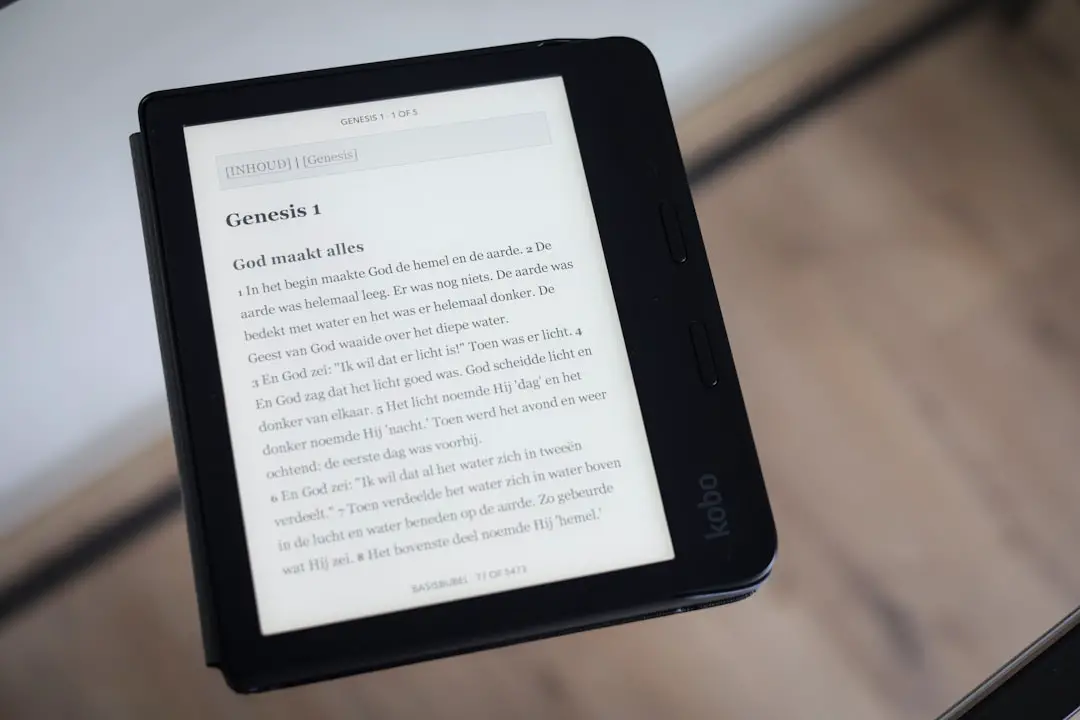
Using the Kindle Paperwhite is simple and intuitive.
Turning Pages
Tap the right side of the screen to move forward. Tap the left side to move back. You can also swipe, like on a smartphone.
Adjusting Brightness
Swipe down from the top of the screen. Adjust the brightness slider. Reading in bed? Lower the light. Reading outside? Increase it.
Changing Font Size
Tap the top of the screen while reading. Select “Aa” (Display Settings). Adjust:
- Font size
- Font style
- Line spacing
- Margins
This is perfect for people who need larger text.
Highlighting Text
Press and hold on a word. Drag your finger to select text. You can highlight it or add notes. Great for students.
Using the Dictionary
Press and hold a word. A dictionary definition pops up instantly. No need to search online.
Buying and Borrowing Books
The Kindle Paperwhite connects directly to the Amazon Kindle Store. There are millions of books to choose from.
Buying Books
- Open the Kindle Store.
- Search for a book.
- Tap “Buy Now.”
- Start reading in seconds.
Prices are often lower than printed books.
Using Kindle Unlimited
Amazon offers a subscription called Kindle Unlimited. You pay a monthly fee. You get access to thousands of books. Read as much as you want.
Borrowing from the Library
In many countries, you can borrow eBooks from public libraries. Use apps like Libby. Send the borrowed book to your Kindle. It works just like a purchased book.
Reading in Different Places
The Kindle Paperwhite works almost everywhere.
At the Beach
The screen does not glare in sunlight. It actually looks better outside.
In the Bath
It is waterproof. A little splash will not hurt it.
At Night
The built-in light lets you read without disturbing others.
Image not found in postmetaBattery and Charging
One of the best features is battery life.
A single charge can last weeks, depending on usage. That means:
- No daily charging
- No battery anxiety
- Perfect for travel
Charging is simple. Use a USB-C cable (on newer models). Plug it into a wall adapter or computer. A full charge usually takes a few hours.
Tips to Get the Most Out of Your Kindle Paperwhite
1. Use Airplane Mode
If you are not downloading books, turn on airplane mode. This saves battery.
2. Organize Your Library
Create collections. For example:
- Mystery
- Self-help
- Work
- Favorites
This keeps your library neat.
3. Sync Across Devices
You can install the Kindle app on your phone. Amazon syncs your reading progress. Start on Kindle. Continue on your phone. Seamless.
4. Try Dark Mode
Dark Mode inverts colors. White text on black background. Many people love this at night.
Is Kindle Paperwhite Better Than a Tablet?
It depends on what you need.
Kindle Paperwhite is best for:
- Serious readers
- People who read for hours
- Those who want fewer distractions
Tablets are better for:
- Watching videos
- Using apps
- Browsing the web
If you mainly read books, the Kindle Paperwhite is often the better choice.
Who Should Buy a Kindle Paperwhite?
This device is great for:
- Students – Highlight and define words easily.
- Travelers – Carry many books at once.
- Busy professionals – Read during breaks.
- Older adults – Increase font size for comfort.
If you struggle to read more, this device can help build the habit. It makes reading easy and accessible.
Common Questions
Can You Read PDFs?
Yes. You can send PDFs to your Kindle. Some formats may look better than others.
Does It Need Internet to Read?
No. Once a book is downloaded, you can read offline.
Can Kids Use It?
Yes. Parents can set up child profiles and control content.
Final Thoughts
The Kindle Paperwhite is simple. That is its strength. No distractions. No endless notifications. Just you and your book.
It feels like paper. It travels well. It lasts for weeks on a single charge. And it can hold an entire library in your hand.
If you love stories, learning, or quiet time, the Kindle Paperwhite is a smart and practical choice. It makes reading easier. It makes reading more fun. And most importantly, it helps you read more often.
Sometimes, the best technology is the one that disappears. When you use a Kindle Paperwhite, the device fades away. The story stays.