
For organizations that rely on stable connectivity, bandwidth visibility is no longer a luxury; it is a core requirement for daily operations. WhatsUp Gold, developed by Progress, is a network monitoring platform designed to help IT teams discover devices, monitor traffic, analyze bandwidth usage, and respond quickly to performance issues before they become service disruptions.
TLDR: WhatsUp Gold provides strong bandwidth monitoring through SNMP, flow analysis, dashboards, alerts, and reporting. It is well suited for small to mid-sized businesses and distributed IT environments that need practical visibility without excessive complexity. Its performance is generally reliable, especially when deployed with proper polling intervals and flow collection planning. The main limitations are that advanced traffic analysis and scalability may require additional modules and careful tuning.
Overview of WhatsUp Gold Bandwidth Monitoring
WhatsUp Gold is best known as a network availability and performance monitoring solution, but its bandwidth monitoring capabilities are among its most useful features. The platform allows IT teams to track how much traffic is moving through routers, switches, firewalls, wireless controllers, servers, and other infrastructure devices. This helps administrators identify congestion, detect unusual traffic spikes, and understand whether bandwidth is being consumed by legitimate business services or problematic activity.
The product uses common monitoring technologies such as SNMP, WMI, ICMP, and flow protocols including NetFlow, sFlow, J-Flow, and IPFIX, depending on licensing and configuration. This combination gives WhatsUp Gold the ability to show both interface-level bandwidth usage and deeper traffic details such as top talkers, applications, conversations, and protocols.

Key Bandwidth Monitoring Features
1. Interface Utilization Tracking
One of the core bandwidth features in WhatsUp Gold is interface utilization monitoring. The platform can monitor physical and logical interfaces on network devices and display information such as inbound traffic, outbound traffic, errors, discards, and utilization percentage. This is particularly useful for identifying uplinks, WAN connections, and switch ports that are approaching capacity.
Administrators can view real-time and historical interface performance data from dashboards and reports. This makes it easier to answer important operational questions, such as whether a WAN circuit is undersized, whether a backup job is saturating a link, or whether a branch office connection is experiencing recurring congestion during business hours.
2. Network Traffic Analysis with Flow Data
For deeper bandwidth analysis, WhatsUp Gold can use flow data to reveal what is actually consuming network capacity. While SNMP shows how much traffic is passing through an interface, flow monitoring shows who is generating the traffic, where it is going, and which applications or protocols are involved.
This feature is valuable when an interface shows high usage but the cause is unclear. For example, flow analysis may reveal that cloud backups, video conferencing, file transfers, streaming media, or a single misconfigured endpoint is responsible for excessive consumption. The ability to isolate top senders, receivers, conversations, and ports helps IT teams troubleshoot faster and with greater confidence.
- Top talkers: devices or users consuming the most bandwidth.
- Top applications: applications or services responsible for the most traffic.
- Top protocols: protocol-level breakdowns for traffic classification.
- Conversation tracking: source and destination communication analysis.
- Historical flow trends: long-term visibility into bandwidth patterns.
3. Custom Dashboards
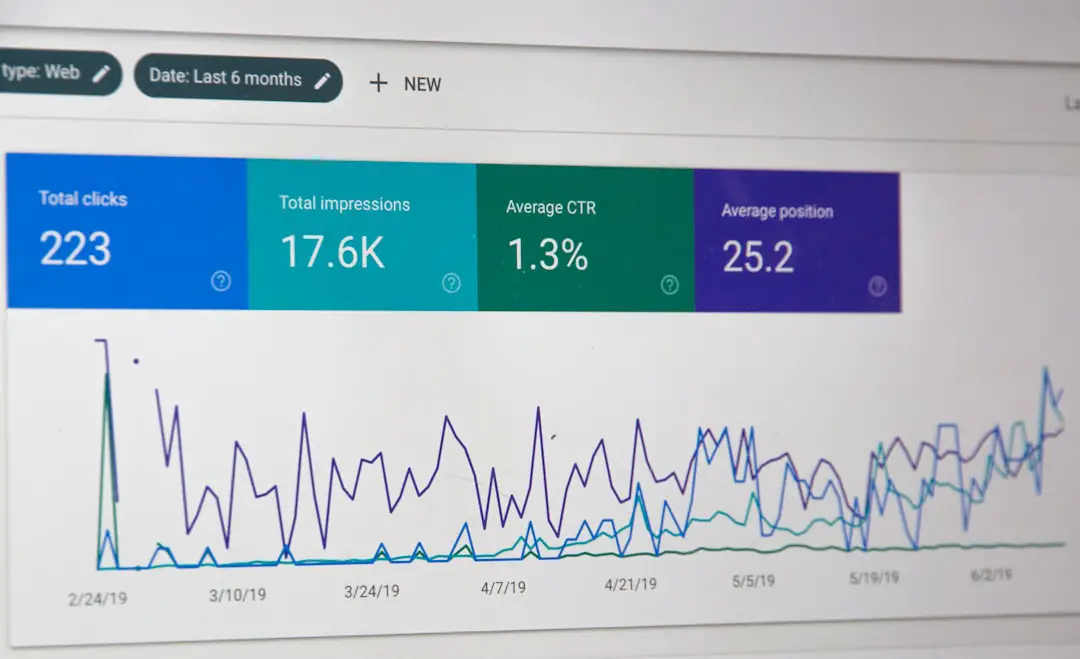
WhatsUp Gold offers customizable dashboards that allow network teams to create views focused on bandwidth health. These dashboards can include interface graphs, device status, traffic summaries, utilization thresholds, alerts, and flow-based widgets. The visual layout is practical for network operations centers and IT teams that need a quick overview of network performance.
The dashboards are especially helpful because they present bandwidth data in a way that is understandable without digging through raw logs or command-line outputs. IT managers can use high-level dashboards to assess service health, while engineers can drill into specific devices or interfaces for troubleshooting.


4. Alerting and Threshold Management
Bandwidth data becomes more useful when it is connected to intelligent alerting. WhatsUp Gold allows administrators to configure alerts based on utilization thresholds, device status, interface errors, packet loss, and other performance indicators. For example, an alert can be triggered when a WAN interface exceeds 85 percent utilization for a sustained period.
This is important because short spikes are not always meaningful, while sustained high utilization can indicate a capacity problem. Properly configured alerts help reduce noise and ensure that IT teams are notified only when action is needed. Notifications can be delivered through email, SMS, web alarms, integrations, or escalation policies, depending on the environment.
5. Bandwidth Reporting
WhatsUp Gold includes reporting capabilities that help organizations analyze historical bandwidth usage. Reports can show trends over days, weeks, or months, allowing teams to support capacity planning and justify infrastructure upgrades. For instance, if a branch office routinely reaches peak utilization during working hours, reports can provide evidence for increasing circuit bandwidth.
Reports are also useful for compliance, service reviews, and internal communication. Instead of relying on anecdotal complaints about slow performance, IT departments can present measurable data on utilization, availability, and traffic behavior.
Performance Review
In terms of performance, WhatsUp Gold is generally efficient for environments that are properly sized and configured. It performs well when monitoring standard SNMP counters, device availability, interface utilization, and common performance metrics. The interface is responsive in moderate deployments, and dashboards load quickly when the monitoring server has adequate CPU, memory, and database resources.
Flow monitoring, however, requires more planning. Because flow data can be large and continuous, organizations need to consider storage, retention settings, device export rates, and the number of monitored interfaces. A small network may run flow analysis with minimal overhead, while a larger enterprise environment may require stronger server specifications and careful filtering to avoid excessive data collection.
Polling intervals also affect performance. Shorter intervals provide more detailed visibility but increase system load. Longer intervals reduce overhead but may miss brief spikes. For many organizations, a balanced approach works best: critical WAN links and core devices can be monitored more frequently, while less important access interfaces can use longer intervals.
Ease of Use
WhatsUp Gold is relatively approachable compared with many enterprise monitoring platforms. Its discovery process can scan the network, identify devices, map dependencies, and begin monitoring common metrics. This reduces the initial configuration burden, especially in environments where the network inventory is incomplete or outdated.
The user interface is designed for practical IT operations. Device maps, dashboards, and status indicators make it easy to spot degraded links or overloaded interfaces. While advanced flow analysis and report customization may require some learning, the basic bandwidth monitoring workflow is straightforward.
Strengths of WhatsUp Gold for Bandwidth Monitoring
- Broad protocol support: The platform supports SNMP and multiple flow technologies, giving it flexibility across different network vendors.
- Useful dashboards: Visual dashboards help administrators identify congestion and traffic anomalies quickly.
- Strong alerting: Threshold-based notifications help IT teams respond before users experience major disruptions.
- Historical reporting: Long-term reports support capacity planning and upgrade decisions.
- Device discovery: Automated discovery simplifies onboarding and reduces manual inventory work.
- Practical troubleshooting: Flow analysis helps identify the source of bandwidth problems rather than just showing that a link is busy.
Limitations and Considerations
Despite its strengths, WhatsUp Gold is not without limitations. Some advanced bandwidth analysis functions may require specific editions, add-ons, or licensing considerations. Organizations evaluating the product should confirm whether flow monitoring, advanced reports, and specific integrations are included in the package being considered.
Scalability also depends heavily on architecture. While WhatsUp Gold can support substantial environments, larger networks require careful planning around polling loads, flow volume, database growth, and server resources. Without tuning, dashboards and reports may become slower as the monitored environment expands.
Another consideration is that traffic classification may not always identify modern encrypted applications with perfect accuracy. Like most monitoring tools, WhatsUp Gold can categorize traffic based on ports, protocols, and available flow metadata, but encrypted and cloud-based traffic may require additional context to interpret correctly.

Best Use Cases
WhatsUp Gold is particularly effective for organizations that need a balanced network monitoring platform rather than a tool focused only on bandwidth. It is a strong fit for IT teams that want visibility into device availability, interface utilization, traffic flows, alerts, and reports from a single console.
It works well for small to mid-sized businesses, regional enterprises, education networks, healthcare organizations, local government environments, and managed service providers. It is also suitable for companies with branch offices where WAN monitoring and capacity planning are important.
For extremely large enterprises or highly specialized service provider environments, a more distributed or flow-specialized platform may be needed. However, for many organizations, WhatsUp Gold provides a practical balance between depth, usability, and operational value.
Security and Anomaly Detection Value
Although WhatsUp Gold is not a dedicated security information and event management platform, bandwidth monitoring can still support security investigations. Unusual traffic spikes, unexpected external connections, or a single host generating excessive traffic can indicate malware, data exfiltration, misconfiguration, or unauthorized applications.
Flow visibility can help security and network teams identify suspicious communication patterns. For example, if a workstation suddenly becomes one of the top bandwidth consumers overnight, administrators can investigate whether it is performing a legitimate task or participating in unwanted activity.
Overall Verdict
WhatsUp Gold delivers a capable and practical bandwidth monitoring experience. Its combination of SNMP-based utilization tracking, flow analysis, dashboards, alerts, and reports gives IT teams the tools needed to understand network traffic and respond to performance problems. It is not the most lightweight tool when advanced flow monitoring is enabled, but it performs well when properly sized and configured.
The platform’s greatest strength is its ability to combine bandwidth data with broader network monitoring. Instead of treating traffic analysis as an isolated task, WhatsUp Gold places it in the context of device health, interface status, availability, and infrastructure maps. This makes troubleshooting more efficient and helps organizations make better decisions about capacity, performance, and reliability.
For businesses seeking a well-rounded monitoring solution with strong bandwidth visibility, WhatsUp Gold remains a dependable option. Its value is highest when the organization takes time to configure meaningful thresholds, organize dashboards, and use historical reports for proactive planning.
FAQ
What is WhatsUp Gold used for?
WhatsUp Gold is used for network monitoring, device discovery, bandwidth tracking, alerting, reporting, and performance management across routers, switches, servers, firewalls, wireless devices, and other infrastructure components.
Does WhatsUp Gold support bandwidth monitoring?
Yes. WhatsUp Gold supports bandwidth monitoring through SNMP interface polling and, when configured, flow-based traffic analysis using technologies such as NetFlow, sFlow, J-Flow, and IPFIX.
Can WhatsUp Gold identify which users or devices are using the most bandwidth?
Yes, with flow monitoring enabled, WhatsUp Gold can identify top talkers, conversations, applications, protocols, and endpoints responsible for high bandwidth consumption.
Is WhatsUp Gold suitable for large networks?
WhatsUp Gold can support larger environments, but performance depends on server resources, polling intervals, flow volume, database sizing, and configuration. Large deployments should be planned carefully.
Does WhatsUp Gold provide bandwidth alerts?
Yes. Administrators can configure alerts for high interface utilization, errors, device downtime, packet loss, and other performance conditions. Alerts can help teams respond before congestion affects users.
Is flow monitoring included by default?
Flow monitoring availability depends on the edition, licensing, and modules purchased. Organizations should verify the exact feature set before deployment.
How accurate is WhatsUp Gold bandwidth monitoring?
Its SNMP-based bandwidth monitoring is generally accurate for interface utilization, assuming devices provide correct counters. Flow-based accuracy depends on device export settings, sampling rates, and how traffic is classified.
What are the main advantages of WhatsUp Gold?
The main advantages include easy network discovery, useful dashboards, flexible alerting, historical reporting, flow analysis, and the ability to combine bandwidth monitoring with broader infrastructure visibility.